LinkedIn Email Scraping: 2026 B2B Prospecting Playbook
LinkedIn email scraping in 2026: learn a safe, compliant B2B prospecting playbook to find, enrich, and verify decision-maker emails.

On this page (11 sections)
LinkedIn email scraping has become a core part of modern B2B prospecting, but it is often misunderstood. LinkedIn is the #1 B2B platform for discovering decision makers and qualified prospects, yet it does not expose work emails directly, forcing sales teams to rely on data enrichment workflows and external data providers. Many assume "LinkedIn email scraping" means mass scraping and spam, which often leads to poor data quality, low response rates, and account restriction risks.
This guide reframes LinkedIn email scraping as a structured, compliant process. Instead of chasing volume, the focus is on building high-quality lead lists using verified emails, accurate targeting, and real buying signals. You will learn how to turn LinkedIn profiles into qualified leads that match your ideal customer profile, improve pipeline metrics, and drive better business outcomes.
LinkedIn Email Scraping in 2026: The Short Answer
LinkedIn email scraping is a game-changer for B2B prospecting - it lets you pinpoint the good stuff and beef up contact details.
But here's the thing: LinkedIn email scraping isn't all about just pulling emails off LinkedIn profiles. Not by a long shot.
So what is it?
-
Finding the right person in charge at a company - that's what LinkedIn's all about.
-
Then using some kind of email find tool or data platform to turn that profile into a proper work email address.
-
And before adding it to your CRM or outreach pipe, you need to make darn sure that email is legit.
You're not after big long lists of leads - what you want is a small handful of verified emails that actually match your ICP (that's your ideal customer profile). Guess what? That'll outperform a giant list of random contacts any day. Take an example: 200 people who are super qualified, have verified email addresses and are actually interested in buying - that's way better than 2,000 random souls.
The LinkedIn Email Scraping Playbook: From Profile to Verified Lead
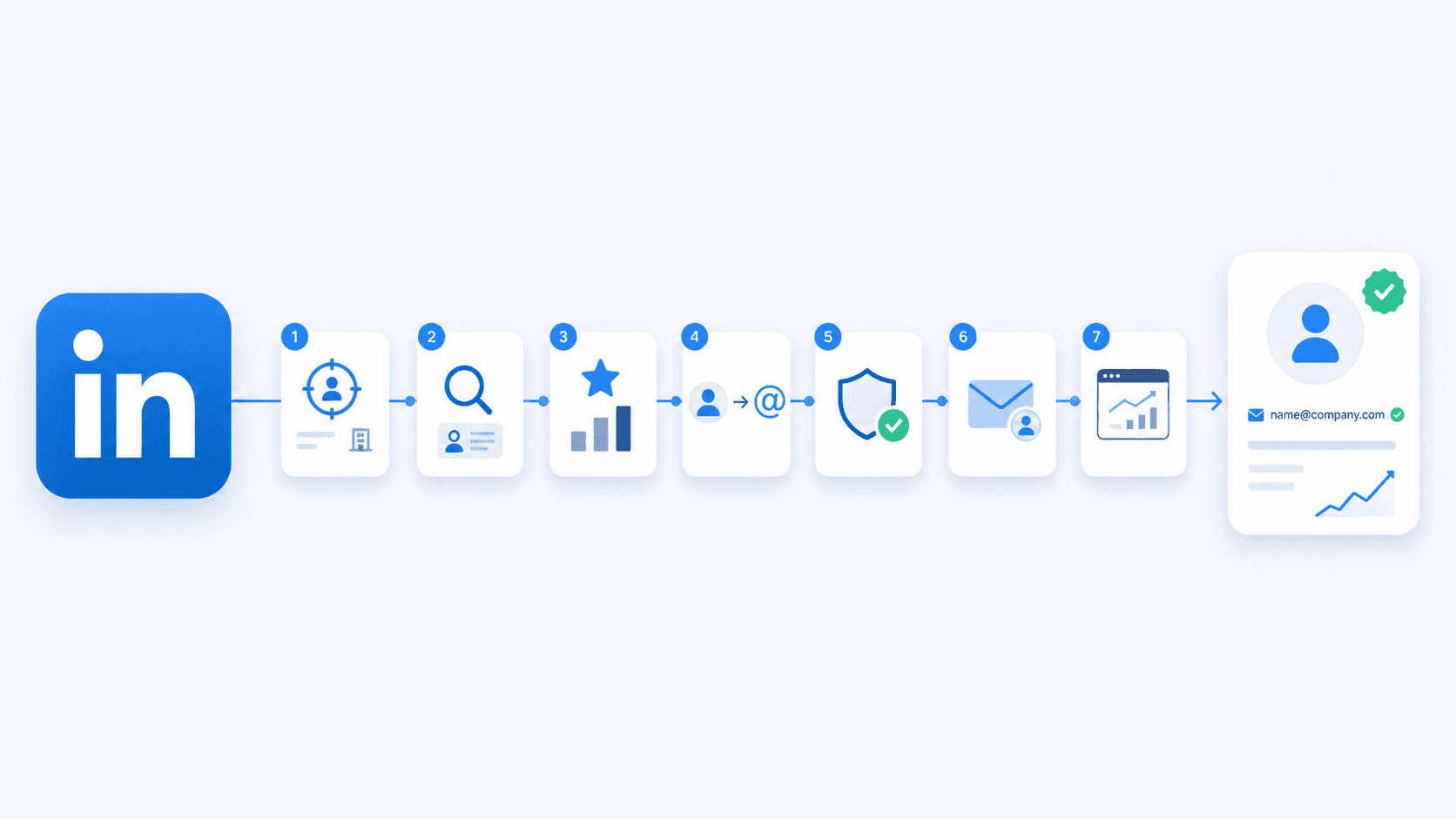
A reliable workflow ensures LinkedIn email scraping → supports → consistent pipeline generation and scalable B2B sales.
Step 1: Define your ideal customer profile (ICP), including company size, industry, and typical budget range.
Step 2: Find the right prospects using LinkedIn search or LinkedIn Sales Navigator based on job title, function, and seniority.
Step 3: Score and prioritize prospects based on ICP fit and buying signals before enrichment.
Step 4: Enrich profiles into work emails using an email finder or trusted data providers.
Step 5: Clean, verify, and deduplicate your lead lists to ensure high data quality.
Step 6: Use LinkedIn context to build personalized email sequences that address real pain points.
Step 7: Track response rates, meetings, and pipeline metrics inside your CRM to optimize performance.
This workflow ensures cold outreach → requires → verified emails, not raw or unqualified data.
Start With the Right B2B Prospecting Criteria
ICP definition → guides → LinkedIn search filters and ensures you focus on qualified leads.
Company-Level Fit
A strong company filter ensures your outreach targets businesses that can realistically buy.
-
Industry: SaaS, agency, eCommerce, or niche B2B services.
-
Company size: directly impacts acquisition costs and deal size.
-
Region: aligns with compliance requirements and market focus.
-
Business model: affects how you position your offer.
For example, enterprise sales teams often prioritize companies with a defined tech stack and existing outbound motion.
Persona and Role Fit
Persona targeting defines who actually makes decisions.
-
Job title: Head of Sales, Marketing Director, Co-founder.
-
Seniority: Manager, Director, VP, C-suite.
-
Function: Sales, Marketing, Operations.
Sales Navigator → helps identify → decision maker profiles across multiple filters, improving lead qualification before outreach.
Timing and Buying Triggers
Timing increases reply rates more than any email template. According to industry benchmarks, reaching out during active buying signals can improve response rates by 2–3x compared to cold outreach without context.
-
Job postings signal hiring and growth.
-
Funding announcements indicate available budget.
-
Product launches reveal shifting priorities.
-
Job changes show new decision makers settling into roles.
-
Content engagement (posts, comments) reveals active topics and pain points.
LinkedIn profiles → contain → buying signals that help you address real problems at the right moment.
Find Qualified Prospects on LinkedIn Before You Look for Emails
LinkedIn is a discovery and qualification platform, not just a data source.
Use LinkedIn Search and Filters Properly
Start with structured search:
-
Combine job title, industry, and location.
-
Refine search results to avoid irrelevant profiles.
-
Balance between too broad and too narrow targeting.
The goal is to build a focused list of qualified prospects, not scrape random users.
When LinkedIn Sales Navigator Is Worth It
LinkedIn Sales Navigator becomes valuable when scaling prospecting.
-
Advanced filters: function, seniority, company growth.
-
Ability to track multiple profiles and accounts.
-
Alerts for job changes, posts, and company updates.
For growing sales teams, this improves efficiency and consistency.
Read Profile and Company Signals Before Enriching
Before enrichment, validate fit:
-
Profile: headline, About section, activity, posts.
-
Company: description, website, hiring, clients.
-
Role relevance to your solution.
Public professional data → requires → responsible processing. Only enrich profiles that clearly match your ICP.
Layer Intent Signals Into Your Prospecting
The strongest prospects combine ICP fit with active buying signals. Before adding a profile to your enrichment list, check for intent signals:
-
Recent hiring activity: job postings in relevant departments suggest growth and budget.
-
Content engagement: prospects who post or comment about specific problems are showing active interest.
-
Company milestones: funding rounds, new product launches, or office expansions indicate shifting priorities.
-
Job transitions: new hires in decision-making roles often evaluate existing tools within their first 90 days.
Most teams over-enrich and waste credits on low-fit leads. Layering intent signals ensures you prioritize prospects who are more likely to engage and convert.
Score and Prioritize Prospects Before Enrichment
Not all LinkedIn profiles deserve enrichment. A qualification step prevents wasted credits and improves list quality.
Build a Simple Lead Scoring Framework
Assign points based on fit criteria:
-
Company size match: 20 points
-
Industry match: 20 points
-
Correct seniority level: 20 points
-
Active buying signal present: 30 points
-
Recent profile activity: 10 points
Profiles scoring 70+ are high-priority. Profiles below 50 should be reconsidered or moved to a nurture list.
Segment Your List Before Enrichment
Group prospects into tiers:
-
Hot leads: strong ICP fit + active buying signals → enrich immediately.
-
Warm leads: strong ICP fit, no immediate signal → enrich and nurture.
-
Cold leads: partial fit or weak signals → deprioritize or exclude.
This segmentation ensures your outreach budget and sender reputation focus on the highest-value targets.
Turn LinkedIn Profiles Into Verified Business Emails
Email finder → enriches → LinkedIn prospects into usable contact data.
Confirm You Have the Right Person and Company
Double-check before enrichment:
-
Correct person and current role.
-
Active LinkedIn account.
-
Matching company context.
Working with incorrect or outdated profiles is one of the biggest mistakes in LinkedIn email scraping.
Go From Company Name to a Reliable Domain
Company domain accuracy is critical.
-
Extract domain from LinkedIn or official website.
-
Validate via search if needed.
-
Avoid confusion with similar brands.
Incorrect domains lead to invalid emails and wasted outreach.
Enrich Work Emails and Store the Right Fields
Always prioritize work emails over personal emails.
Key fields to store:
-
First name, last name.
-
Job title, company.
-
Company domain.
-
LinkedIn profile URL.
-
Work email and verification status.
-
Country, source date.
-
Lead score and buying signal notes.
This structured database improves segmentation, personalization, and long-term relationship building.
Clean, Verify, and Deduplicate Your LinkedIn Email List
Deduplication → improves → CRM data quality and outreach efficiency.
Verify Emails to Protect Deliverability
Email verification → reduces → bounce rate and protects your sender account.
-
Valid: safe to send.
-
Risky: test carefully.
-
Invalid: remove.
-
Catch-all: use smaller batches.
Industry best practices recommend keeping bounce rate below 3% to maintain strong deliverability and sender reputation. Keeping bounce rate under control is critical for maintaining strong response rates.
Remove Duplicates and Weak Records
Clean your lead lists:
-
Deduplicate by email and profile.
-
Remove irrelevant contacts outside your ICP.
-
Exclude free or generic email domains.
This ensures your data remains accurate and actionable.
Keep Your Sender Reputation Safe
Compliance workflow → includes → opt-out and suppression list.
-
Start with small campaigns (50–100 emails per day).
-
Monitor performance metrics (open rate, reply rate, bounce rate).
-
Scale only after validation.
This protects your domain and improves long-term outreach performance.
Use LinkedIn Context to Build Multi-Channel Sequences
Personalized outreach → improves → reply potential and helps build relationships with prospects.
Personalize Using LinkedIn Context
Useful context includes:
-
Job role and responsibilities.
-
Recent posts, comments, or activity.
-
Hiring signals or job postings.
-
Company updates, funding, or growth.
Example:
"Noticed your team is expanding your sales team—are you currently optimizing outbound pipeline?"
Strong personalization focuses on real pain points and business goals, not surface-level details.
Integrate LinkedIn Into Multi-Touch Sequences
The most effective B2B prospecting combines LinkedIn and email into coordinated sequences:
Touch 1: LinkedIn profile view (passive signal)
Touch 2: Personalized connection request with context
Touch 3: Email outreach referencing LinkedIn context
Touch 4: LinkedIn message (if connected) or comment on recent post
Touch 5: Follow-up email with additional value
Touch 6: Phone call or video message
This multi-channel approach typically generates 25–40% higher response rates compared to email-only campaigns, as it builds familiarity across platforms and increases touchpoint relevance.
Playbook in Action: Real Example
Here's how this playbook works in practice:
Target Profile: VP of Sales at a 75-person SaaS company in the martech space.
Buying Signals Found:
-
Posted on LinkedIn about "scaling our SDR team from 3 to 8 reps"
-
Company job board shows 5 open sales roles
-
Recent funding announcement ($10M Series A)
Workflow:
-
Identified via LinkedIn Sales Navigator using filters: SaaS, 50–200 employees, VP Sales.
-
Lead score: 85/100 (strong ICP fit + multiple buying signals).
-
Enriched profile to work email using email finder.
-
Verified email status: Valid.
-
Crafted personalized email: "Saw you're scaling to 8 SDRs—are you looking at tools to help your team generate qualified leads faster?"
Result: 42% open rate, 18% reply rate, meeting booked within 3 days.
This example shows how combining ICP fit, intent signals, and LinkedIn context creates outreach that feels relevant rather than intrusive.
Key Benchmarks to Track
Monitor these metrics to optimize your LinkedIn email scraping workflow:
-
Enrichment accuracy: 85–95% valid emails
-
Bounce rate: <3% (critical for deliverability)
-
Email open rate: 40–60% for cold B2B outreach
-
Reply rate: 10–20% with strong personalization
-
Meeting conversion: 3–8% of total emails sent
-
LinkedIn connection acceptance: 25–40% with personalized requests
-
Daily LinkedIn limits: 20–25 connection requests per week to avoid restrictions
These benchmarks help you identify weak points in your workflow and maintain consistent pipeline generation.
Stay Compliant and Avoid Risky LinkedIn Scraping Practices
Compliance protects your account, your data, and your brand.
Respect LinkedIn's Technical and Policy Limits
LinkedIn automation → creates → account restriction risk if abused.
-
Avoid aggressive scraping tools.
-
Do not exceed normal usage limits.
-
Focus on sustainable processes.
Collect Only the Data You Actually Need
Publicly available data → requires → responsible processing.
-
Collect only relevant business data.
-
Avoid unnecessary personal information.
-
Follow data minimization principles.
Follow Basic Email Compliance for Cold Outreach
Cold outreach must follow legal standards.
-
Include clear opt-out options (required by CAN-SPAM).
-
Respect suppression lists.
-
Avoid misleading messaging.
This aligns with GDPR (Article 6 regarding lawful processing), CAN-SPAM, and modern compliance expectations. Always consult legal counsel for your specific use case, especially when operating across multiple jurisdictions.
LinkedIn email scraping is not about collecting more data. It is about turning LinkedIn into a reliable source of qualified leads and consistent pipeline.
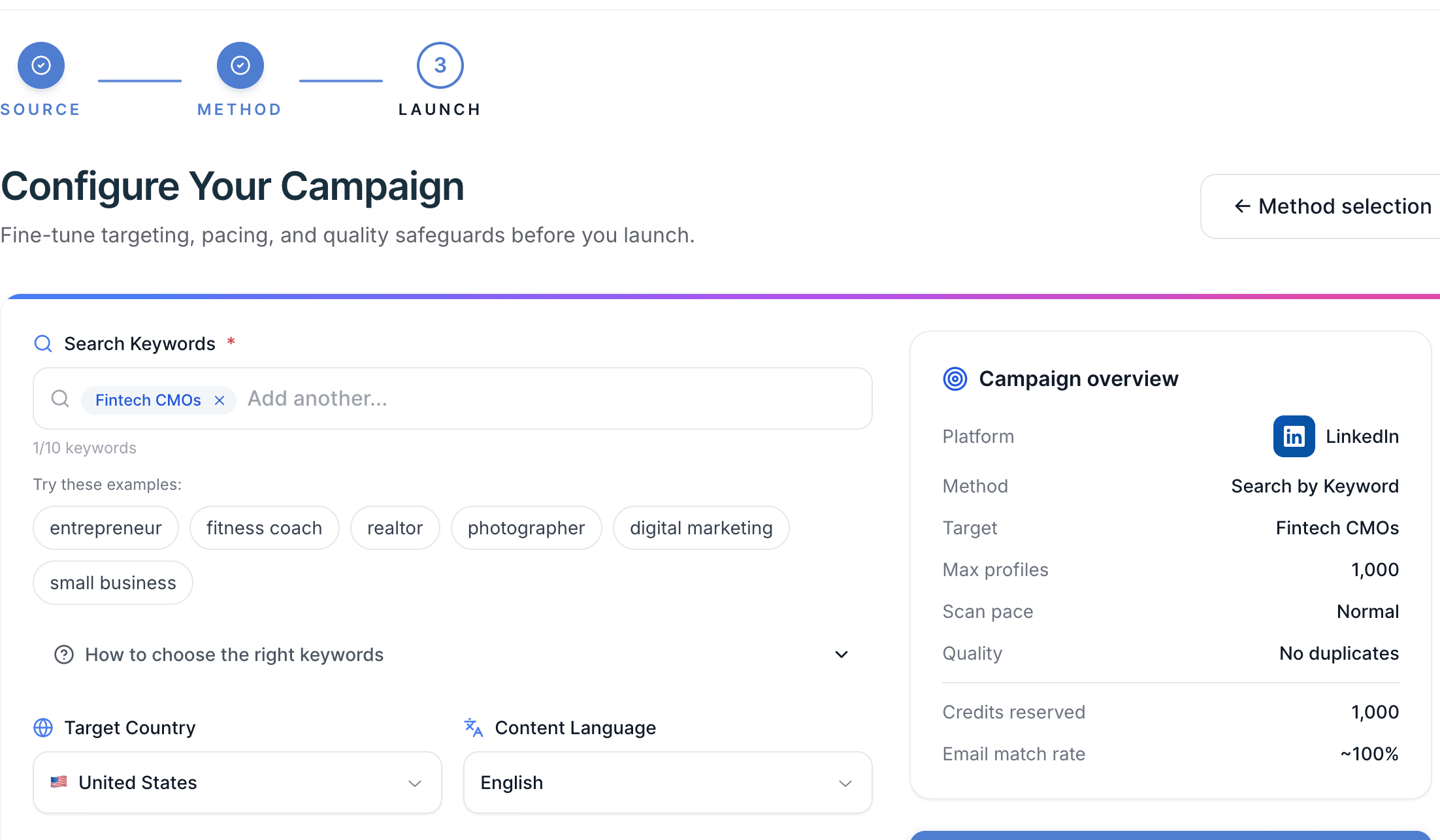
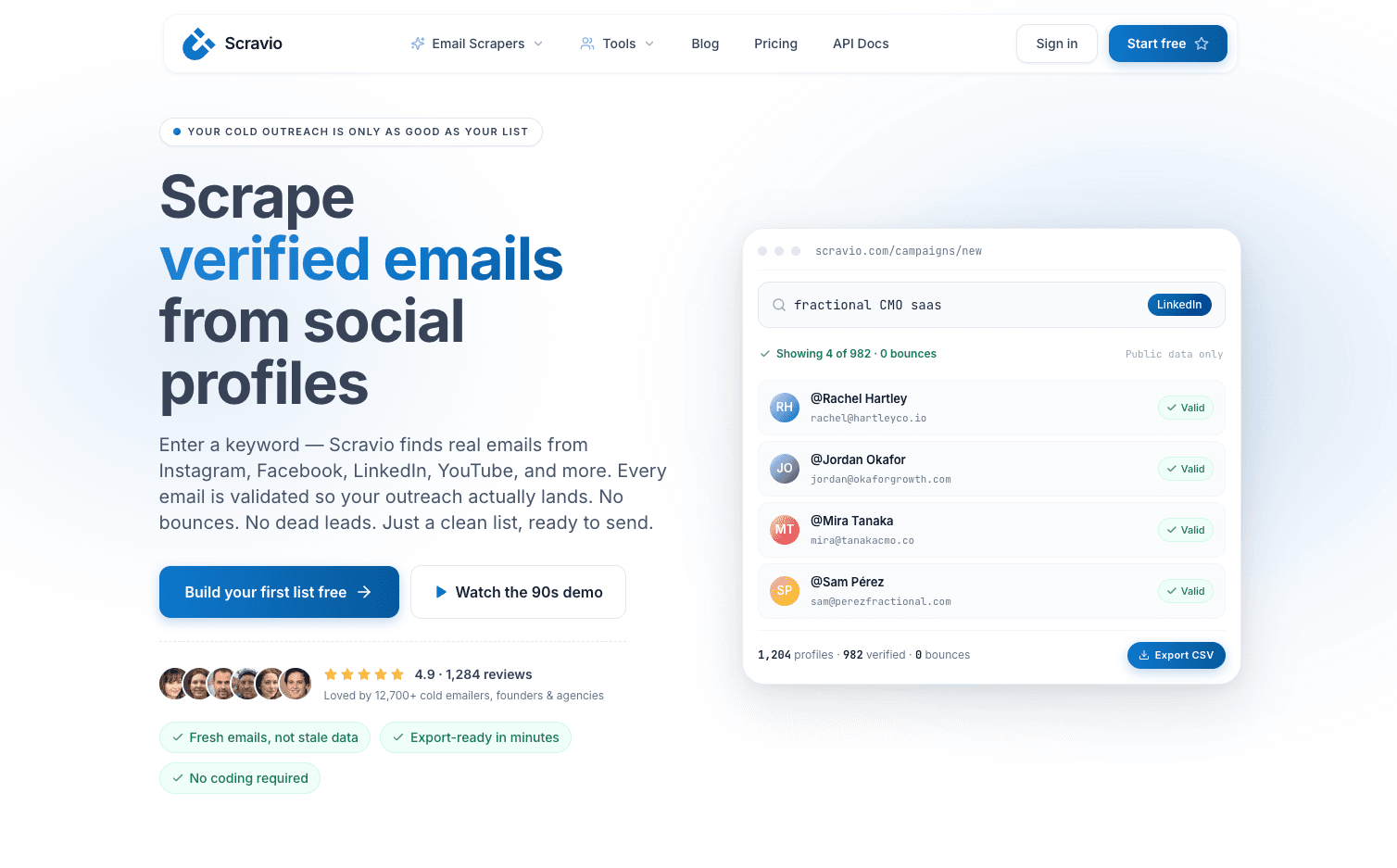
If you want to run this playbook without building your own scraping and enrichment stack, Scravio can act as your data platform to convert LinkedIn profiles into verified emails. For example, you can enrich decision makers directly from LinkedIn search results into clean lead lists, or export ready-to-use data into your CRM for cold outreach campaigns.
Visit scravio.com, or create a free account with 100 free credits to turn your LinkedIn prospecting workflow into a predictable growth engine.
Frequently asked questions
Is LinkedIn email scraping legal?
Yes, when using publicly available data responsibly and following compliance frameworks like GDPR and CAN-SPAM.
Can you scrape emails directly from LinkedIn profiles?
No. You need data enrichment tools to generate work emails based on company domain and prospect name.
What is the safest way to get emails from LinkedIn prospects?
Use LinkedIn for targeting and qualification, then enrich and verify emails through trusted data providers before outreach.
What data should you actually collect from LinkedIn?
Only relevant fields like name, job title, company, domain, and work email. Avoid collecting unnecessary personal information.
Do you need LinkedIn Sales Navigator to make this work?
Not required, but it significantly improves targeting and scalability through advanced filters and tracking capabilities.
How do you avoid high bounce rates with LinkedIn email lists?
Verify emails before sending, clean data regularly, deduplicate lists, and send in controlled batches while monitoring deliverability metrics.
Start your first campaign with 100 free credits
Verified emails from Instagram, Facebook, LinkedIn, X, YouTube, and TikTok — all in one cloud workflow. No card required.