Email Verification Guide: How to Validate Email Addresses (2026)
Cut bounce rates and protect sender reputation. Your complete email verification guide for 2026 — tools, best practices, and step-by-step validation.


On this page (6 sections)
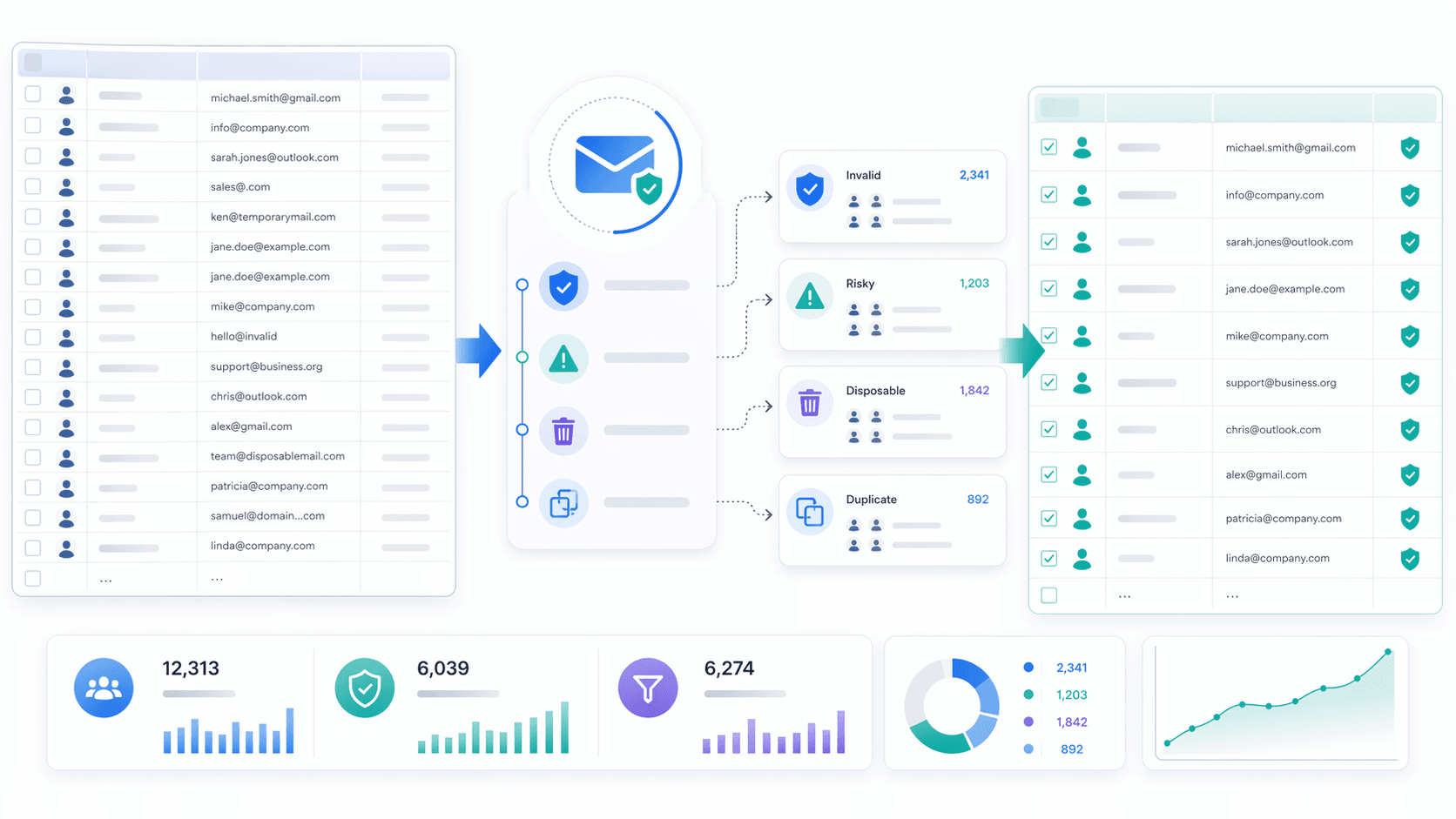
Email verification is the process of making sure an email address is genuine, in the proper format, and actually capable of receiving messages — all before you hit send. Beyond basic format checks, a complete email address verification process examines domain validity, MX record resolution, mailbox existence, and flags suspicious address types — disposable emails, catch-all addresses — that commonly slip through standard filters.
Whether you're running cold outreach campaigns, building a lead list from social media profiles, or managing a high-volume newsletter, verifying your email addresses is what separates lists that land in the inbox from lists that quietly damage your sender reputation. This guide covers everything you need to know about email verification in 2026 — from how to validate individual addresses and pick the right email verification tool, to building a list hygiene routine and applying best practices that protect deliverability at scale.
What Is Email Verification?
Email verification is a multi-layer process that determines whether a given email address is real, active, and deliverable to the intended recipient — without sending a message to them. The fundamental question it answers: will a message sent to this address actually reach a live inbox?
The term is often used interchangeably with email validation, but there is a meaningful distinction. Email validation typically refers to format-level checks — confirming the address follows standard syntax (e.g., [email protected]). Verification, on the other hand, goes further: it queries the email domain's DNS records, validates MX record configuration against the mail server, and detects risky address types — disposable email addresses, role-based inboxes, and catch-all domains. A verified email address is one that has passed all layers of this pipeline — not just a regex filter.
For anyone managing a contact list, running cold email campaigns, or onboarding users into a SaaS product, the distinction matters significantly. A list that passes basic email validation alone can still carry a 10%+ hard bounce rate — whereas a list that goes through a complete email verification pipeline typically drops to under 0.5%. That gap is what separates a list that delivers results from one that quietly damages your sender reputation with every send.
Why Email Verification Is Important
Maintaining a verified email list is no longer optional in 2026 — it is a baseline requirement for email deliverability and campaign performance.
You've got to keep bounce rates in check - not just for the sake of your email sending infrastructure but for your very existence - I mean , think about it - even just 2% of bounces is not a good look and many lists are way worse than that - 5 and 6% + are the norm for lists that are basically a mess. And the ESPs - Google, Microsoft and Mailchimp - they don't take kindly to this behaviour - if you keep crossing the 2% threshold you can expect to get throttled, blacklisted or have your account suspended. A reliable email verification workflow applied before every major campaign send can cut bounce rates by up to 50% and keeps your sending domain off suppression lists.
Taking care of your sender reputation is not just a one off - it's a long term thing - your IP and domain scores are what decide whether your emails land in the inbox or the spam box. Verified email addresses keep those spam complaints, bounces and spam trap hits to a minimum - all of which are pretty much poison for your email reputation. Teams that implement email verification consistently achieve inbox placement rates near 95%, compared to 70% or lower for unverified lists — making it one of the highest-ROI investments in email deliverability.
By incorporating email verification into your list hygiene routine, you eliminate invalid addresses that waste sending budget and focus spend exclusively on contacts who can engage — directly improving open rates, click-through rates, and overall campaign performance. Email marketers who invest in list hygiene consistently report stronger ROI compared to those sending to unverified lists.

How to Validate an Email Address
Validating an email address correctly requires moving through several technical layers. Each step filters out a different class of bad data, and skipping any layer leaves risk on the table.
Check Email Syntax and Format
The first layer of email validation is a syntax check — typically implemented via regex or adherence to RFC 5321/5322 standards. This confirms the address contains a @ symbol, a valid local part, a valid email domain, and a recognized top-level domain. Common issues caught here include double @@, missing TLD, spaces in the local part, or invalid characters.
It's important to understand what a syntax check cannot do: it has no way to confirm whether the address actually exists or can receive messages. An address like [email protected] passes any valid format check with flying colors but will hard bounce the moment you try to deliver to it. Syntax checking is a necessary first step — not a complete email address verification solution.
Check Domain and MX Records
Once syntax is confirmed, the next layer queries the email domain's DNS records — specifically its MX (Mail Exchange) records, which define which mail server handles incoming messages for that domain. If a domain has no valid MX records, no email server is configured to receive mail, and the address is undeliverable by definition.
This step also catches domains that have been decommissioned, expired, or have no DNS resolution at all. Verifying MX records eliminates a significant portion of invalid email addresses before any SMTP handshake is needed. A thorough email domain check confirms that the infrastructure behind the address is operational — a prerequisite for any message to be delivered successfully.
Check Mailbox Existence (Without Sending Email)
The deepest layer of technical verification is the SMTP-level mailbox check. In this method, the email verification service opens a connection to the receiving SMTP server, issues a simulated RCPT TO command with the target address, and interprets the server's response code. A 250 OK response typically indicates the mailbox accepts mail; a 550 signals the address does not exist on that mail server.
This approach enables checking whether an email address exists without sending an actual email to the intended recipient — which is especially valuable for cold outreach and list cleanup. That said, some mail servers operate in catch-all mode, accepting all RCPT TO commands regardless of whether the individual mailbox exists. No SMTP probe is 100% deterministic, which is why production-grade email verifiers combine this with multi-layer heuristics and catch-all detection logic. Still, SMTP-level mailbox checking remains the most accurate signal available outside of actually sending a message.
Use Real-Time or API-Based Email Verification
For teams capturing email addresses via sign-up forms, registration pages, or CRM imports, integrating a real-time email verification API at the point of capture is the most efficient approach to the verification process. Rather than cleaning bad data after the fact, an API-based email verification service validates each address in milliseconds as the user types or submits — blocking typos, fake emails, and disposable email addresses before they ever enter your database.
Leading email verification APIs return structured responses with verification status, MX record status, disposable flag, role-based flag, and catch-all classification. Integrating this into your lead capture flow — including sign-up forms on landing pages, webinar registrations, and checkout flows — ensures your list starts clean from day one and dramatically reduces the volume of bulk cleanup required downstream.
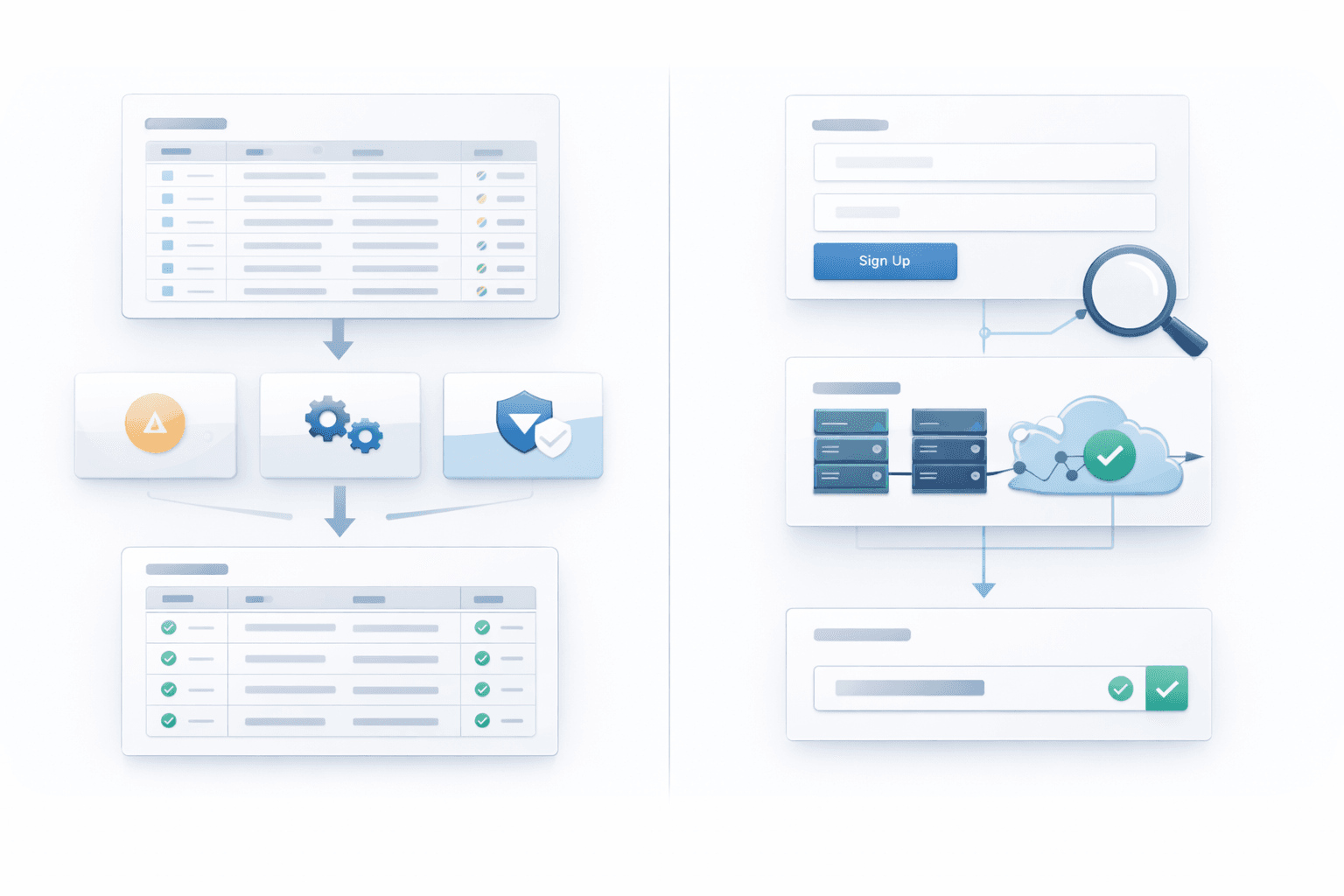
Bulk Email Verification vs Real-Time Email Verification
Both approaches serve the same goal — a clean, deliverable email list — but operate at different points in the workflow and solve different problems.
What Is Bulk Email Verification?
Bulk email verification is the process of uploading an existing email list — ranging from a few hundred to millions of addresses — and running it through a full verification pipeline in batch mode. The bulk email verifier processes each address against syntax rules, DNS and MX resolution, SMTP checks, and risk classification, then returns a cleaned export with verification status for every record. This is the standard approach for pre-campaign list validation: upload your list to the bulk email verifier, remove all invalid email addresses and high-risk entries, and send only to addresses confirmed as deliverable. Batch verification is equally valuable for periodic hygiene passes on legacy databases, imported contact lists, or acquired lists where source quality is uncertain.
What Is Real-Time Email Verification?
Real-time email verification is triggered the moment a user enters an email address into a sign-up form, app onboarding flow, or checkout page. The email verification API call processes in near real-time — typically 200–500ms — evaluating the address and either allowing submission or prompting the user to correct the issue before the record is created.
Live email validation prevents low-quality data from entering your system at the source. Invalid addresses, misspelled domains, disposable email services (e.g., Mailinator, Guerrilla Mail), and role-based addresses like noreply@ can all be flagged and rejected immediately. This approach is particularly effective for SaaS onboarding flows, webinar registrations, and lead magnet funnels where list quality directly impacts follow-up campaign performance.
When to Use Bulk vs Real-Time
The choice is not a simple one-way street - most experienced marketing teams mix and match the two methods to get the job done:
-
Use bulk email verification when preparing a large outbound campaign, cleaning an imported list, or performing quarterly hygiene on an existing email address database.
-
Real-time verification is your best bet for all active sign-up forms, registration pages, and anything else where new email addresses start flowing into your system.
-
When you're dealing with enterprise-level systems, use a combination of the two: real-time verification maintains ongoing list quality at the point of capture, while scheduled bulk verification catches addresses that have degraded since they were first collected.
-
Once you've finished bulk verification, export the results to Google Sheets or your CRM, so you can keep a clean, segmented master contact list with verification status neatly logged on each record.
The key is this: if you already have data floating around, use bulk - but if the data is coming in right now, use real-time.
How to Choose an Email Verification Tool
The market for email verification services has matured significantly, but not all tools deliver the same depth or accuracy. Evaluating them on the right criteria prevents the common mistake of optimizing for price while sacrificing verification quality.
Verification Accuracy and Depth
The most important criterion when selecting an email verifier is the depth of automated checks it performs. A complete pipeline should include: syntax validation, email domain and MX records resolution, SMTP mailbox probing, disposable email address detection, role-based email flagging, spam trap risk scoring, and catch-all domain classification.
Reliable email verification directly affects your campaign performance: an email validator that misclassifies catch-all domains as fully valid, or fails to detect a disposable email address, will still generate hard bounces and spam complaints after sending. Look for published accuracy benchmarks — rates of 98%+ are achievable with multi-layer verification pipelines — and confirm whether the tool distinguishes between "valid," "risky," and "undeliverable" addresses rather than returning only binary results.
Features and Integrations
Beyond accuracy, evaluate whether the tool supports both bulk email verification (CSV upload, dashboard review, export) and a real-time email verification API for form integration. Native integrations with your existing stack — Mailchimp, HubSpot, Salesforce, ActiveCampaign — reduce implementation friction and allow the verification process to run automatically within your existing workflows.
Additional features worth assessing include: duplicate removal, granular result tagging (valid email addresses, invalid addresses, risky addresses, catch-all, disposable), webhook support for real-time notifications, and a dashboard that gives clear visibility into email list health over time. For teams managing outreach at scale, a free email verifier tier or a free account with trial credits can be useful for validating accuracy before committing to a paid plan.
Pricing, Limits, and Compliance
Most email verification services package usage by monthly volume, prepaid bundles, or subscription tiers. Evaluate pricing against your projected monthly volume of email verifications, and confirm whether unused allowance rolls over between billing periods.
Equally important is data compliance. If you operate in markets covered by GDPR or CCPA, confirm that the email verification service processes submitted addresses under an appropriate legal basis, maintains a clear data retention and deletion policy, and provides a Data Processing Agreement (DPA). A trustworthy email verifier treats the addresses you submit as sensitive data — not as a secondary dataset for any purpose beyond the verification you requested.
Email Verification Best Practices
Verify Emails at Capture and Before Campaigns
The most effective email verification strategy applies checks at two distinct points: at the moment of capture via real-time API on sign-up forms, and before each major campaign send via bulk verification of the full list. Real-time verification prevents invalid email addresses from entering your system; pre-send bulk verification catches any addresses that have degraded since they were first collected.
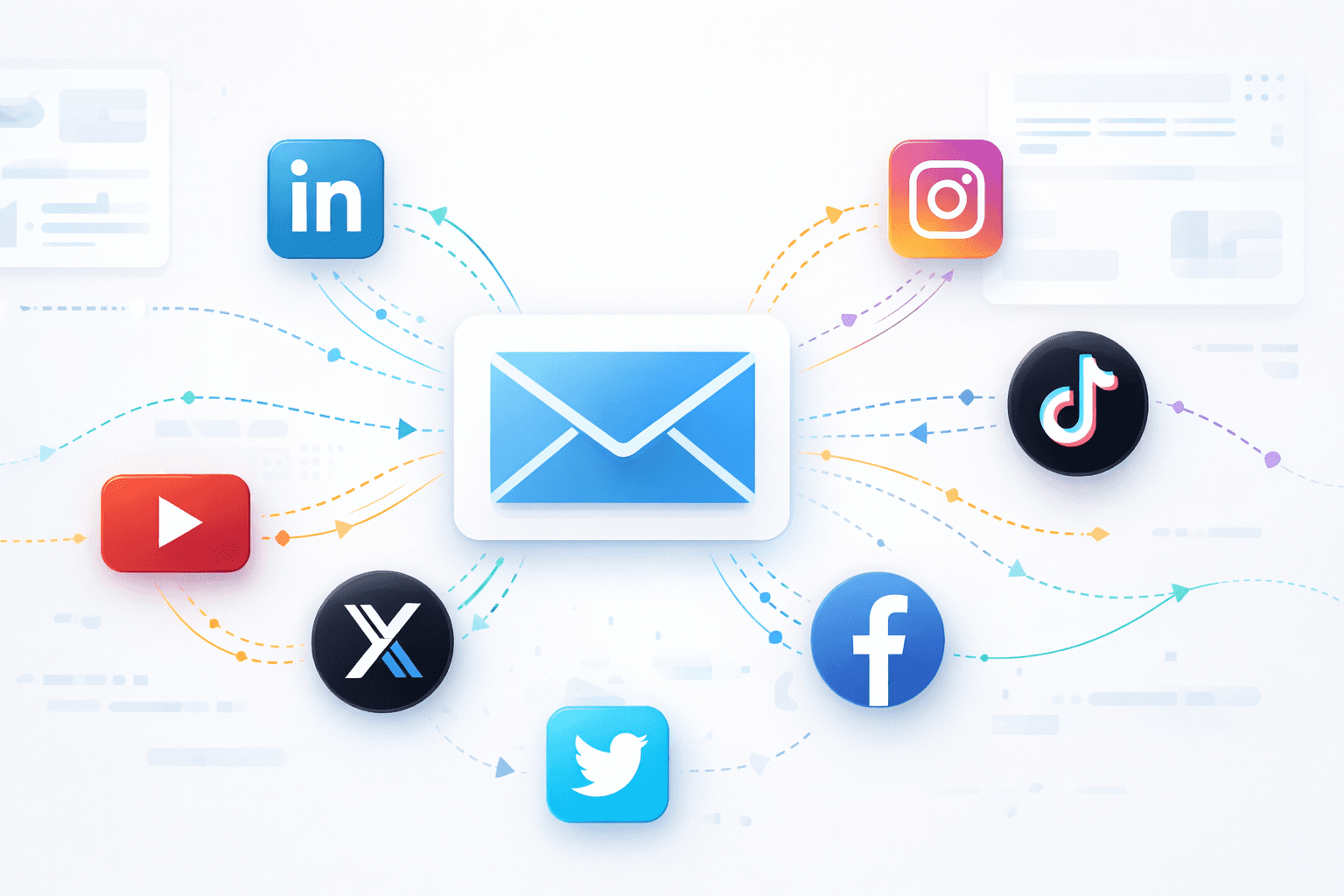
For teams running cold outreach — particularly those building contact lists by extracting verified emails from LinkedIn, Instagram, TikTok, or YouTube — verifying emails immediately after extraction is non-negotiable. Even freshly scraped lists can contain inactive, forwarding-only, or catch-all addresses that will silently hurt your sender reputation on first contact.
Clean Your Email List Regularly
Even a well-verified email list degrades over time. Industry estimates suggest that roughly 22–25% of email addresses become invalid within a year due to job changes, domain expirations, and inbox abandonment. A regular list hygiene cadence — typically every 3–6 months for active marketing lists — should include:
-
Removing all hard bounces and confirmed undeliverable addresses
-
Suppressing persistent complainers (addresses that have flagged your emails as spam)
-
Re-verifying dormant segments that haven't engaged in 6+ months
-
Reviewing and pruning role-based and catch-all addresses that carry elevated delivery risk
-
Updating your contact lists in your CRM or Google Sheets with current verification status
For high-volume senders processing tens of thousands of email messages per month, monthly verification passes are worth the investment to sustain sender reputation and inbox placement.
Avoid Risky Email Types: Disposable, Role-Based, and Catch-All
Three categories of email addresses deserve deliberate handling — not necessarily hard removal in every case, but careful classification and routing:
-
Disposable email addresses are generated for single-use and expire within hours. They signal fraudulent or low-intent sign-ups and should be blocked at the form level via real-time verification.
-
Role-based addresses (info@, support@, admin@, sales@) are often shared inboxes monitored by teams rather than individuals. They reduce personalization effectiveness, inflate unsubscribe risk, and should be segmented as lower-priority contacts rather than treated as high-value leads.
-
Catch-all domains accept all RCPT TO commands regardless of whether the individual mailbox exists, making them impossible to verify with certainty via SMTP probe. Best practice is to segment risky addresses in the catch-all category separately and warm-test them cautiously before including in high-volume sends.
Spam traps — addresses maintained by ISPs and blocklist operators specifically to catch unsolicited senders — are another category to watch. A reputable email verifier will flag known spam trap patterns as part of its risk scoring, helping you avoid a blacklisting event before it happens.
Start Building a Cleaner Email Pipeline in 2026
Email verification is not a one-time task — it is a continuous discipline that spans every touchpoint where email addresses enter or are used across your system. From format-level syntax checks to deep SMTP mailbox probing, from real-time API validation on sign-up forms to scheduled bulk verification before campaigns, each layer of the email verification process compounds to protect your sender reputation, reduce wasted spend, and improve the email deliverability and ROI of every campaign you run.
For business owners, marketers, and sales teams who build their outreach contact lists from social profiles — extracting verified emails from Instagram, LinkedIn, TikTok, YouTube, or Facebook — integrating email verification into the extraction workflow is the single highest-leverage step you can take to ensure your messages reach real inboxes and the intended recipient every time.
Ready to put this into practice?
combines built-in email verification with cloud-based email extraction across all major social platforms — delivering clean, validated, deduplicated email addresses ready for outreach. Start free with 100 credits on your free account and see the difference a fully verified email list makes on your very first campaign.
Frequently asked questions
What is the difference between email verification and email validation?
Email validation refers to checking whether an address follows correct syntax and valid format rules (e.g., [email protected]). Email verification goes beyond format — it confirms the email domain has active MX records, performs SMTP-level mailbox probing on the mail server, and detects risky address types like disposable emails, spam traps, and catch-all domains. Email validation tools handle the first layer; a full email verifier handles all layers.
Can I verify an email address without sending an email to that person?
Yes. Professional email verification services use SMTP probing (RCPT TO handshakes with the email server) to check whether a mailbox accepts mail without actually delivering any message to the intended recipient. This is the standard mechanism used by all reputable email verification services and does not trigger a delivery or notification to the address being checked.
How often should I verify my email list?
For actively used marketing or outreach contact lists, a full bulk verification pass every 3–6 months is a sound baseline. High-volume senders or teams running continuous cold email campaigns should consider monthly email verifications. Any imported or purchased list of email addresses should be run through a bulk email verifier before first use, regardless of claimed source quality.
Does email verification improve deliverability and inbox placement?
Directly, yes. Email verification removes invalid email addresses that generate hard bounces — one of the strongest negative signals to ISPs and ESPs. Removing undeliverable addresses and risky addresses before campaigns go out can improve inbox placement and reduce the likelihood of messages landing in spam folders. Email deliverability is a compounding metric: the cleaner your list, the stronger your sender reputation grows over time.
Is email verification legal and GDPR-compliant?
Email verification itself — querying DNS records and performing SMTP handshakes with a mail server — does not constitute personal data processing in most regulatory frameworks, as no message is delivered and the verification status response contains no personal information. However, if you submit email addresses from EU data subjects to a third-party email verification service, that transfer must comply with GDPR, including a valid DPA with the provider. Always review your vendor's compliance documentation before running verifications on data from regulated markets.
Start your first campaign with 100 free credits
Verified emails from Instagram, Facebook, LinkedIn, X, YouTube, and TikTok — all in one cloud workflow. No card required.