How to Scrape Emails from LinkedIn in 2026 (5 Methods)
Learn how to scrape emails from LinkedIn in 2026 with 5 methods: manual, Sales Navigator, bulk URLs, and a LinkedIn email scraper, plus verification tips.

On this page (11 sections)
Scraping emails from LinkedIn in 2026 is no longer just about collecting as many email addresses as possible. A useful LinkedIn email scraping workflow should start with the right LinkedIn profiles, job titles, company domains, public business emails, and verification signals. For B2B sales teams, agencies, and founders, the real value comes from turning LinkedIn profiles into cleaner, more relevant outreach lists instead of noisy databases that hurt deliverability.
This guide explains how to scrape emails from LinkedIn using five practical methods, from manual research to bulk profile URL workflows and cloud‑based LinkedIn email scraper tools. You will also learn how to find emails from LinkedIn profiles, verify scraped emails, remove duplicates, export a clean LinkedIn email list, and handle outreach more responsibly. To test this workflow before scaling, you can start with 100 free credits on Scravio and find publicly available professional emails from LinkedIn‑related sources.
What Does It Mean to Scrape Emails from LinkedIn in 2026?
Scraping emails from LinkedIn means using structured workflows to discover and collect professional email addresses that are publicly available or inferable from LinkedIn profiles, company pages, and connected web sources. In practice, “scrape LinkedIn emails” usually combines profile data, company domains, job titles, and public web pages to surface business emails that match a specific ICP, not hidden personal inboxes.
Scraping emails from LinkedIn in 2026 usually combines LinkedIn profiles, individual profile data, and other public web sources to extract emails that you can safely use for B2B lead generation. Instead of treating LinkedIn directly as a place to send emails, you treat it as a discovery layer to map individuals, companies, and business emails that are later verified in your own system.
In 2026, scraping LinkedIn emails should not mean bypassing private data, brute‑forcing logins, or abusing LinkedIn contact info that is visible only to connections. A compliant workflow focuses on email from LinkedIn that can be verified against public domains and MX records, so you get professional email addresses tied to real companies and roles instead of risky personal data.
What LinkedIn Data Should You Collect Before Finding Emails?
Scraping emails from LinkedIn works best when you start with structured profile data instead of random search results. The more context you collect up front, the easier it is to match each email to the correct person, company, and segment in your B2B outreach list.
LinkedIn Profile URLs and Handles
A clean LinkedIn email workflow usually begins with LinkedIn profile URLs in the linkedin.com/in/ format plus the profile handle, full name, and headline. When you get email from a LinkedIn profile, these identifiers become your primary keys for matching email addresses and avoiding duplicate contacts later.
Solid linkedin.com/in/ handle extraction makes it easier to track contact data across tools, CRMs, and CSV exports without losing attribution.
Job Titles, Company Names, and Company Domains
Before you try to find email through a LinkedIn link, capture at least the job title, company name, and company domain for each prospect. This is the core of LinkedIn title extraction and lets you build contact lists that reflect actual roles instead of generic “employees at X.”
With job title and company domain in place, you can safely apply email format logic (for example, [email protected]) while still relying on email verification to filter out invalid addresses. This also helps with segmentation later when you need to prioritize C‑level, VP, or manager roles in specific industries.
Country, Industry, and Expertise Signals
Scraping LinkedIn emails without context usually leads to low reply rates and spam complaints. To avoid that, add country, industry, and expertise signals to every profile so you can align each contact with your ideal customer profile (ICP) and target accounts.
This kind of LinkedIn profile country expertise extraction makes it easier to cluster profiles by geography, vertical, and skill set. These fields also make it much easier to run custom filters in your CRM or Google Sheets later, especially when your sales teams and marketing teams start to coordinate multi‑channel campaigns around the same accounts.
How to Get Emails from LinkedIn Manually
Learning how to get email from LinkedIn manually is still useful, even if you plan to scale with automation later. Manual research is slower but gives you deep context on a small set of high‑value accounts and shows you how public contact data actually appears in the wild.
To get email address from LinkedIn manually, you typically:
-
Open the profile and check the public Contact Info section for visible emails, websites, and social links.
-
Visit the linked company website, team page, or author page and look for professional email addresses and contact details.
-
Cross‑check the email on other public web pages, like conference speaker bios or guest posts, to confirm it is a business address.
Manual work here is deliberate: you are not trying to scrape emails at scale, but to understand how contact data appears across individual profiles, company websites, and public web pages. Once you know that pattern, it becomes easier to decide when a LinkedIn email finder or other email finder tools should automate parts of this process for you.
This “how to get someone’s email from LinkedIn” approach works best for strategic accounts, influential KOLs, or niche experts where you need more context before outreach. It is not designed for extracting thousands of LinkedIn emails, but it teaches you what clean, valid data looks like in practice.
How to Find Email Addresses from LinkedIn Profiles
Once you understand the manual process, you can turn it into a repeatable method for finding emails from LinkedIn profiles at a slightly larger scale. The goal here is not to brute‑force every profile, but to combine public signals with verification so that each email you keep is connected to the right person.
Check Public Contact Info and Linked Websites
The most direct way to find email from a LinkedIn profile is still the Contact Info panel, where some users list a business email or company URL. Even when the email is hidden, those linked websites, blogs, or portfolio pages often expose contact forms or mailto: links that reveal a professional address.
For many potential clients, you will not see a direct LinkedIn email, but a contact form, a generic address, or a team inbox on the company website. In those cases, combining a light email extractor on the site with a dedicated email finder helps you connect the right email addresses back to the original LinkedIn profile.
In a typical workflow, you first find email on LinkedIn or its linked domains, then enrich it with job title, company name, and LinkedIn URL for context.
Use Company Domain Patterns Carefully
When you know the company domain but cannot see a direct email, you can infer likely patterns such as [email protected] or [email protected]. Many LinkedIn email finder extensions and other tools will automatically suggest a likely pattern based on the company domain and similar profiles.
However, pattern‑based guessing alone often produces invalid addresses and bounces if you do not run proper email verification. Always verify each email candidate against DNS, MX, and SMTP checks before you add it to your outreach sequences.
Match the Email to the Right Person Before Outreach
Finding an email address is not enough; you must confirm that the email still belongs to the same person and role you see on LinkedIn. For example, someone may have changed companies while still appearing in old conference bios or article bylines.
Before sending cold email, check the current job title, company, and location on the LinkedIn profile and compare them to the source where you found the email. This is how you maintain verified emails, improve outreach relevance, and avoid messaging people who left the company years ago.
How to Scrape LinkedIn Emails with Search and Sales Navigator
For serious B2B prospecting, you need to move from single profiles to structured searches. LinkedIn search and LinkedIn Sales Navigator let you run precise queries, then use external tools and workflows to find emails on LinkedIn‑related profiles at scale.
Build a Targeted LinkedIn Search Query
Start by designing a LinkedIn email search that matches your ICP: title, function, seniority, industry, company size, and location. This could be as simple as “Founder AND SaaS” in New York or as detailed as “Head of Partnerships” at fintech companies in Europe.
When you run LinkedIn search or Sales Navigator queries, think of them as the “input layer” that defines which individual profiles and accounts will move into your lead gen system. This is where you decide whether you optimize for volume or for a tighter list of qualified leads that are easier to convert.
From here, your scraping pipeline runs from search query to LinkedIn search results to profile URLs to email discovery. That structure lets you find emails on LinkedIn‑related profiles without guessing blindly.
Use Sales Navigator for Higher‑Intent Segments
Sales Navigator adds advanced search filters that are ideal for high‑intent segments. You can filter by seniority level, headcount, geography, industry, technology used, and named account lists to focus on leads that are more likely to convert.
From there, a step‑by‑step guide often looks like this: build the Sales Navigator search, save leads to a list, export or copy profile data, then run an external email scraping workflow on that structured list. This separation keeps LinkedIn prospecting safe while your own tools handle extracting verified emails, phone numbers, and company information.
In a structured workflow, Sales Navigator handles the discovery and segmentation while your email tools handle extraction and verification — turning each Sales Navigator segment into high-intent leads ready for responsible outreach.
Turn Search Results into a Clean Prospect List
Once you have relevant search results, export or record the contact lists with columns like name, LinkedIn URL, job title, company, domain, and country. These fields let you later attach verification status, email addresses, and source notes directly in your CSV file.
A clean LinkedIn email list is not just a set of addresses; it is structured data you can sort by role, region, and ICP fit. That structure is what enables downstream automation, routing to sales teams, and accurate reporting on campaign performance.
How to Extract Emails from LinkedIn Profile URLs in Bulk
When you already have a list of profile URLs, the most efficient way to get LinkedIn emails is to process them in bulk. Here, the focus shifts from search discovery to transforming LinkedIn profile URLs into verified email addresses at scale.
Prepare a Clean List of LinkedIn Profile URLs
Before extraction, clean your input list by normalizing every LinkedIn profile URL to a consistent linkedin.com/in/handle structure. Remove duplicates, fix broken URLs, and standardize how you store the LinkedIn handle for each contact.
This extract LinkedIn handle from URL preprocessing step reduces errors and speeds up downstream processing. It also creates a stable key for matching verified emails back to profiles in your CRM or spreadsheet.
Run Bulk Email Lookup from Profile URLs
With a normalized list, you can use bulk email lookup tools that accept LinkedIn profile URLs as input and return potential business emails. These systems usually combine data scraping, company domain logic, and verification checks to extract emails using LinkedIn profile data.
Many cloud systems let you upload a CSV file of LinkedIn profile URLs or import directly from Google Sheets before they start extracting emails. This keeps your pipeline transparent and makes it easier to debug any edge cases where specific URLs do not resolve properly.
Feeding each LinkedIn profile URL into a bulk lookup returns a verified email candidate — the mechanism behind most “get emails from LinkedIn” and “LinkedIn email lookup” workflows.
Review Match Quality Before Export
Before exporting, review match quality for each record by checking whether the email domain matches the company on the LinkedIn profile, the name matches, and the verification status is strong. Prioritize verified email addresses with good SMTP and MX results over risky or unknown statuses.
At this stage, you also decide which records to send into automation and which to keep in a staging database for further questions or manual review by a co‑founder or senior SDR. That extra human layer is valuable when you work with higher‑value accounts or KOLs where one wrong message can harm the relationship.
This review keeps your data accuracy high and prevents you from filling your outreach tool with weak or mismatched contact details. It is the difference between “emails from LinkedIn” as a raw dump and a reliable prospect database your team can trust.
How to Use a LinkedIn Email Scraper for Faster Prospecting
At a certain point, manual methods, basic search, and one‑by‑one lookups cannot keep up with your pipeline goals. That is where a cloud‑based LinkedIn email scraper becomes the main engine of your prospecting workflow rather than a side tool.
A modern LinkedIn email scraper is a cloud service that takes inputs such as keywords, niches, locations, or LinkedIn‑style profiles and returns verified business emails connected to those profiles. Instead of browser extensions or risky scripts, a cloud email scraper LinkedIn solution runs server‑side, handles rate limits, and integrates email verification, automatic deduplication, and CSV export by design.
Compared with a typical Google Chrome extension that runs inside your browser, a cloud LinkedIn email scraper reduces risk because it does not require you to log in to LinkedIn or click through pages yourself. Instead of one‑click scraping from a single tab, you push jobs to a backend system that can handle larger volumes, more complex filters, and centralised verification.
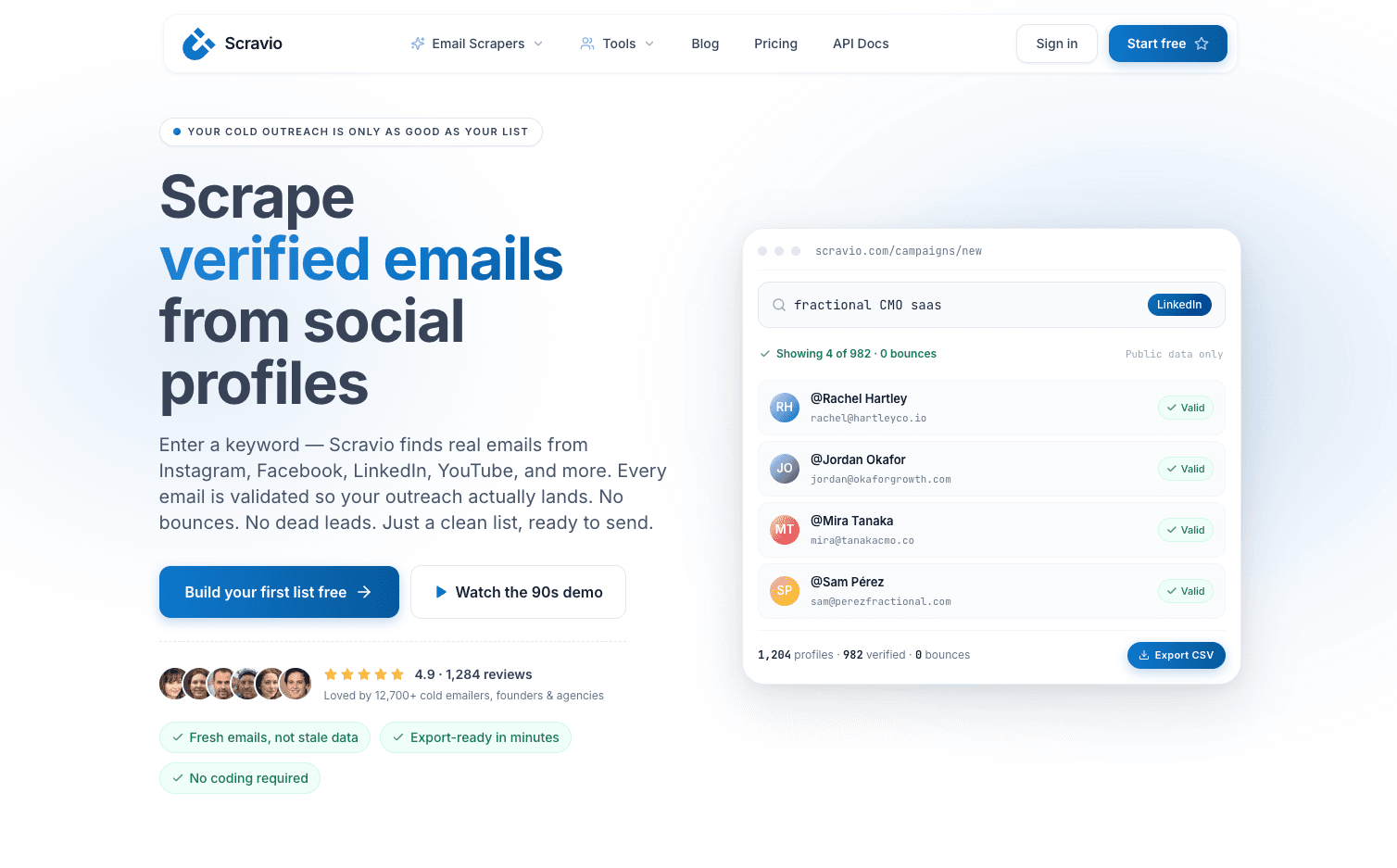
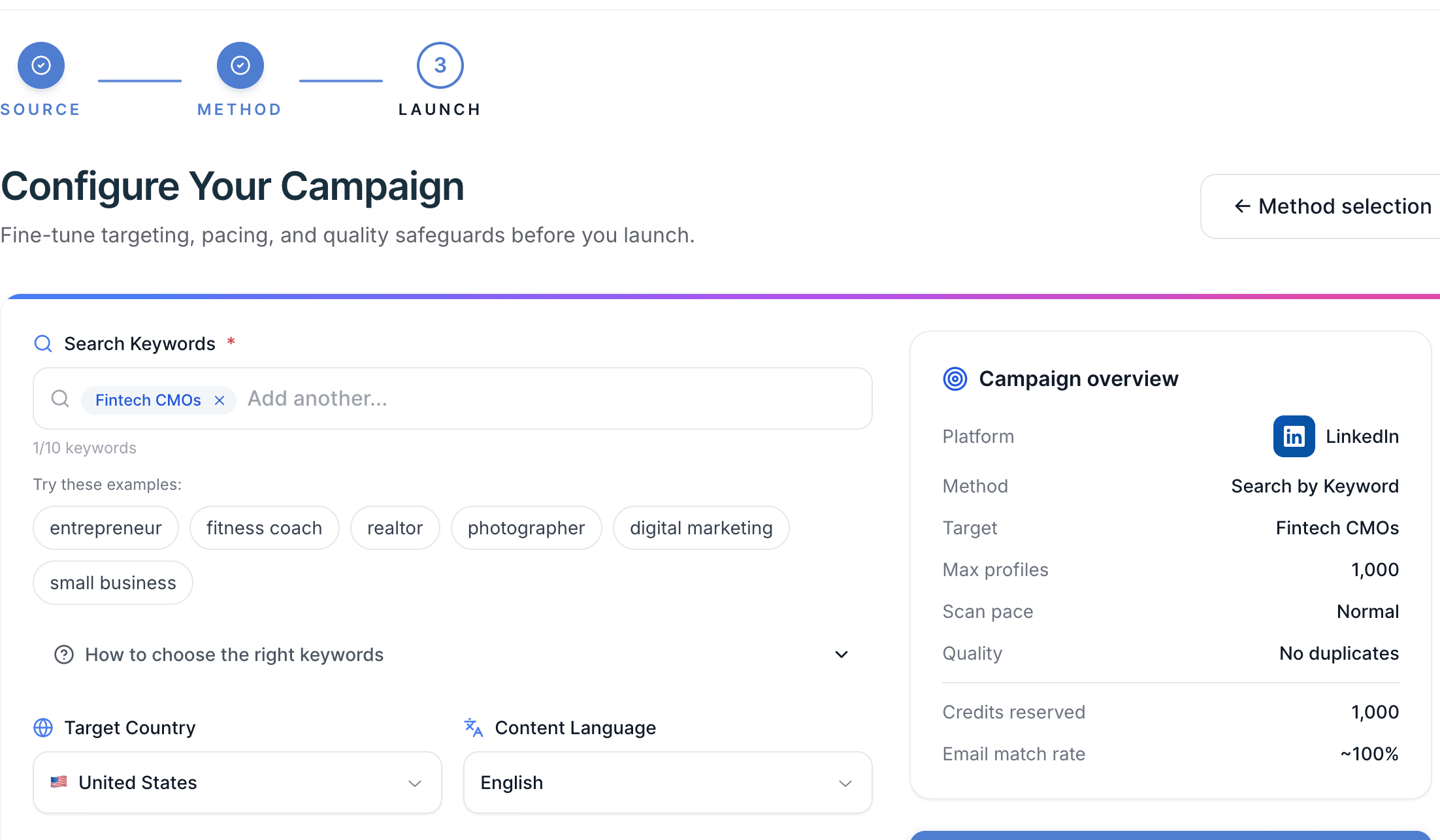
Tools like the LinkedIn Email Scraper on Scravio work this way: you define your niche and filters, Scravio processes LinkedIn‑related profiles and public web data in the background, and you get an export‑ready file with verified contact details. Because verification is built‑in, you typically see higher deliverability and less work cleaning your lists before importing them into your CRM.
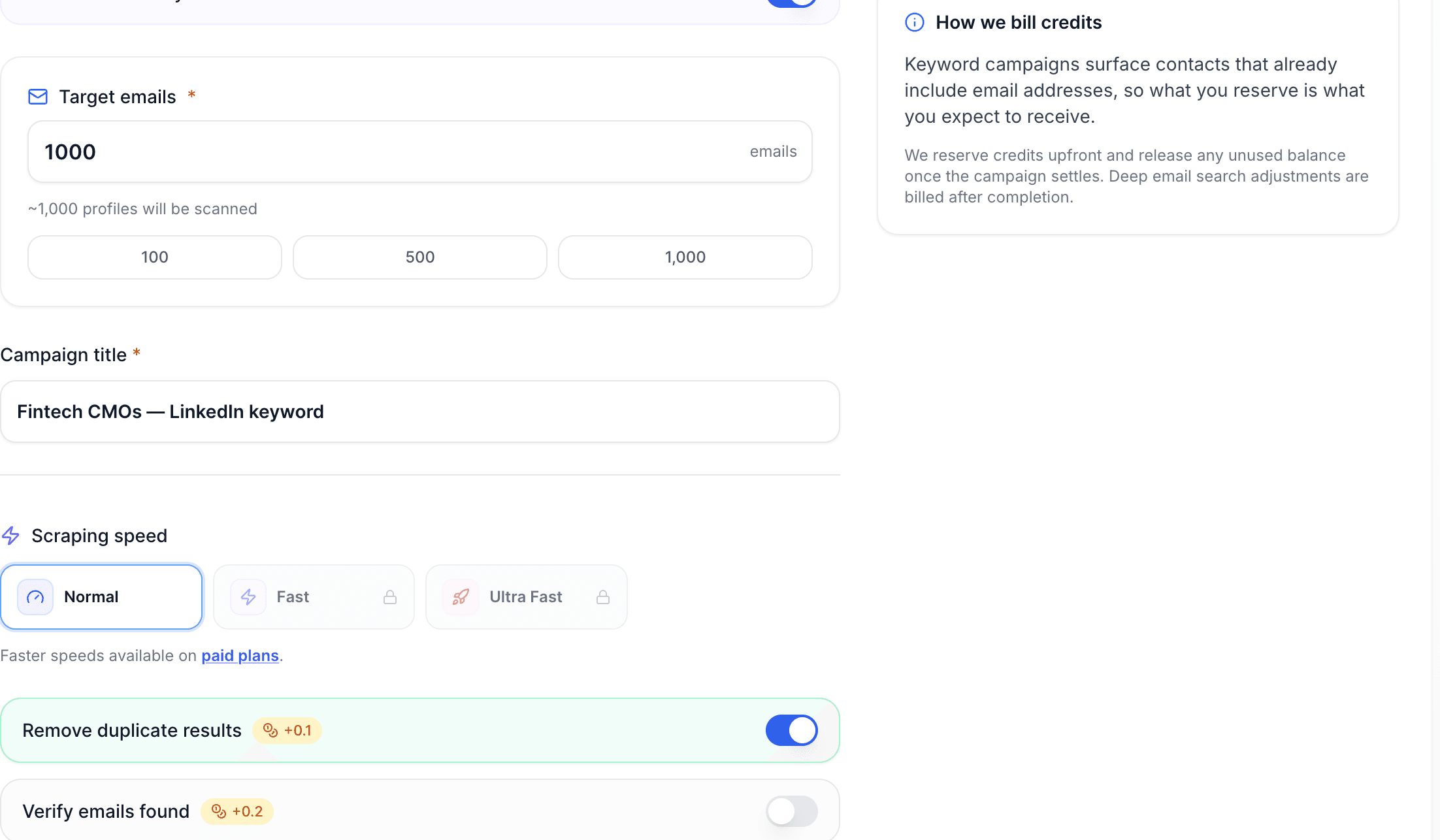
Most serious tools operate on a free plan or limited credits model: you start extracting emails for free to validate the data quality, and only then upgrade once you see that verified emails and deliverability match your expectations. This model is friendly for small sales teams and founders who want to test a system before committing budget to bigger lead generation pipelines.
A good email scraper also connects to popular CRMs and outbound tools so you can export prospects into systems like HubSpot or Pipedrive, or simply download a CSV file, without extra copy‑paste.
Comparing the 5 Ways to Get Emails from LinkedIn
Different workflows make sense at different stages of your funnel, from small research projects to full‑scale outbound campaigns. The table below compares the five main methods in terms of scale, control, and data quality.
Methods to get emails from LinkedIn in 2026
| Method | Typical volume | Best for | Pros | Cons |
|---|---|---|---|---|
| Manual research | 1–20 contacts per hour | Strategic accounts, KOLs, influencers | Deep context, precise matching | Slow, heavy manual work, hard to scale |
| LinkedIn profile checking | 20–50 contacts per hour | Small campaigns, founder‑led outreach | Uses profile data & contact info, low cost | Limited visibility, many profiles private |
| LinkedIn Search / Sales Navigator | 100–500 leads per day | ICP discovery, segmenting target accounts | Advanced custom filters, high relevance | Needs other tools to extract emails |
| Bulk profile URL scraping | 1,000–10,000+ URLs batch | Large static lists, CRM enrichment | Structured inputs, reproducible lead gen runs | Requires clean URLs and quality assurance |
| Cloud‑based LinkedIn email scraper | 1,000–100,000+ contacts | Scalable outbound, agency workflows | Built‑in verification, dedupe, export automation | Paid credits, depends on provider and data quality |
Browser‑based email extractor extensions are convenient for quick checks, but serious teams tend to combine them with cloud systems so that the final lead database, automation rules, and bounce rates can be managed centrally inside their CRM.
If you want a broader view across platforms, you can also look at round‑ups of the Best Email Scraper Tools in 2026, which compare accuracy, features, and pricing models for different email scraping systems.
How to Verify LinkedIn Emails Before Outreach
No matter which extraction method you use, you should verify scraped emails before sending your first campaign. Verification is what turns raw “LinkedIn emails” into a usable asset that will not burn your domain or land you in spam.
Check Verification Status Before Sending
Modern verification tools typically classify each email as valid, invalid, risky, catch‑all, or unknown after checking DNS records, MX servers, and SMTP responses. When you verify scraped emails from LinkedIn‑related sources, you confirm that the mailbox is likely to accept messages and that the domain is configured properly.
In practice, you want to prioritize verified email addresses and downgrade or exclude invalid and unknown statuses. This small filter step is often the main driver of deliverability improvements for cold email teams.
Reduce Bounce Risk and Protect Sender Reputation
Verification reduces bounce risk by catching non‑existent or misconfigured mailboxes before you hit send. While it never guarantees a zero‑bounce campaign, it dramatically lowers hard bounce rates and helps protect your sender reputation over time.
By pairing data accuracy with thoughtful segmentation, you improve outreach quality and keep your domains, subdomains, and dedicated IPs in good standing. This is especially important when scraping LinkedIn emails at scale for multiple brands or client accounts.
Segment Emails by Source and Confidence
Instead of mixing every email into a single bucket, segment by source (manual, LinkedIn search, cloud scraper), verification status, and ICP fit. That way, you can adjust copy, cadence, and sending speed based on how confident you are in each segment.
For example, a high‑confidence segment might be “verified company emails from public web pages,” while a lower‑confidence segment might be “pattern‑based emails from company data that passed only partial checks.” This layered approach creates a more robust “email to LinkedIn profile” enrichment strategy over time.
How to Clean, Deduplicate, and Export Your LinkedIn Email List
Even the best LinkedIn email scraper will produce duplicates or noisy data if you do not actively clean your lists. A disciplined cleaning routine keeps your campaigns efficient and your analytics trustworthy.
Remove Duplicate Contacts and Irrelevant Records
Start by deduplicating on several keys: email address, LinkedIn profile URL, company domain, and occasionally name + company pair. Automatic deduplication is one of the key features to look for in Scravio‑style email scrapers because it saves hours of spreadsheet work.
Next, remove contacts that clearly do not fit your ICP, even if their data is technically valid. A clean email list is about relevance, not just volume of linked in emails.
Standardize Job Titles and Company Fields
Normalize job titles into consistent buckets such as “Founder,” “Head of Marketing,” or “Senior SDR” to make outreach templates and routing rules easier to manage. This is where LinkedIn title extraction and cleaning rules for outreach become essential, especially if you are aggregating data from multiple tools.
Similarly, standardize company names and domains to avoid treating “ACME Inc.” and “Acme, Inc” as different accounts. This normalization step improves reporting on account‑based campaigns and pipeline coverage.
Export to CSV, Sheets, or CRM
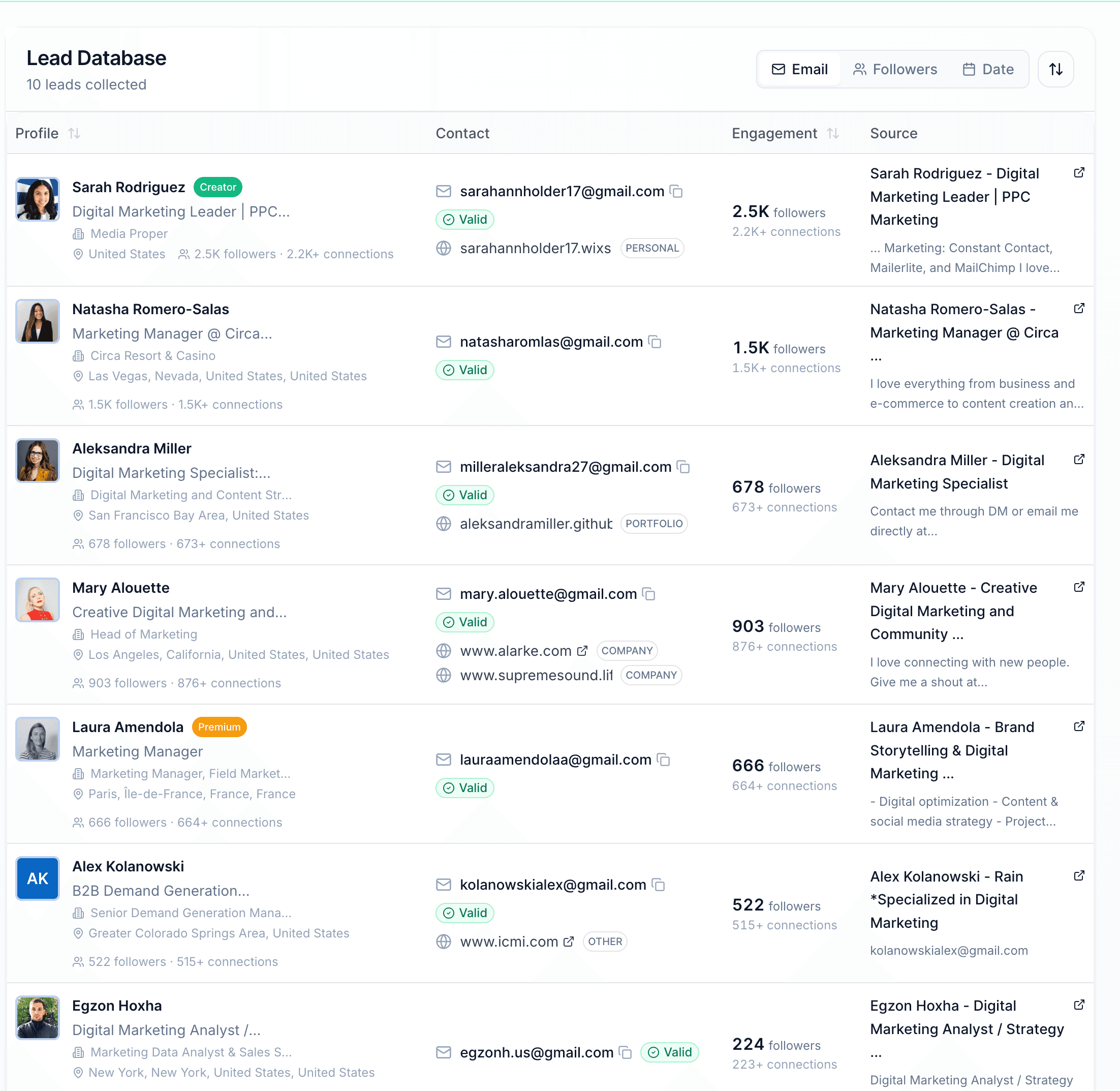
Once your LinkedIn email list is clean, export to CSV, Google Sheets, or your CRM with a consistent schema: name, email, LinkedIn URL, title, company, domain, country, source, and verification status. That structure lets you plug the data into cold email platforms, enrichment tools, or attribution systems with minimal friction.
Once exported, you can push the list into Google Sheets for quick QA, then sync it into popular CRMs with fields mapped for future automation and reporting. This is where clean fields for address, domain, and account owner make a big difference to downstream workflows.
Cloud tools like Scravio Email Scrapers are designed around this flow: scrape, validate, dedupe, then export in a format that outbound tools can consume directly. Over time, this turns email scraping into a repeatable data pipeline instead of an ad‑hoc export.
LinkedIn Email Scraping Compliance Checklist
Compliance is not a final checkbox; it is a design principle that should shape how you collect, store, and use scraped data. In 2026, regulators and mailbox providers both expect you to treat LinkedIn‑related contact data with care.
Use Public Data Only
Limit your workflows to publicly available business emails and public web data related to LinkedIn‑style profiles and companies. Avoid any attempt to access private inboxes, hidden emails, or data that requires bypassing authentication, cookies, or session protections.
Email scraping must use public business information, not private or sensitive data. Keeping this boundary clear is critical for long‑term risk management.
Respect Platform Rules and Outreach Laws
Always review LinkedIn’s terms, plus regional frameworks such as GDPR, CAN‑SPAM, and CCPA, and consult legal counsel if you are unsure. Compliance covers the entire lifecycle: collection, storage, processing, and outreach, not just how you first discovered the email address.
Having a documented lawful basis for processing, clear consent where required, and transparent privacy notices helps reduce regulatory and reputational risk. This is especially important for agencies that scrape LinkedIn emails on behalf of multiple clients.
Make Outreach Relevant and Easy to Opt Out
Responsible outreach is about alignment and control. Keep your messaging tightly aligned with the recipient’s role and industry, personalize based on their LinkedIn profile context, and clearly explain why you are reaching out.
When you combine scraped emails with LinkedIn directly (for example, by viewing profiles before outreach), make sure your message shows that you actually read their profile and are not just blasting a database. Personalized outreach grounded in real profile data is both more respectful and more effective than generic templates.
Every campaign should include easy unsubscribe or opt‑out links, and you should promptly remove contacts who request not to be contacted. This protects your sender reputation and demonstrates that you treat scraped data as a responsibility, not a loophole.
Frequently asked questions
Can you get someone's email from LinkedIn?
Yes, you can often get someone's email from LinkedIn by combining public Contact Info, company websites, and external email finders that respect verification and compliance boundaries. The goal is to work with public business data, not hidden personal inboxes.
How do I find someone's email address on LinkedIn?
Start with their LinkedIn profile, check the Contact Info, follow links to company or personal sites, and then use a verified email finder tool if the address is not visible. Always confirm that the email matches their current role and company before sending.
Is a LinkedIn email scraper the same as a LinkedIn email finder?
A LinkedIn email scraper focuses on extracting email addresses from public sources and profile-related data, often in bulk. A LinkedIn email finder typically takes inputs like name and company and returns a single best email using pattern matching and verification.
How do I get contact info from LinkedIn without connection?
You can use public profile data, linked websites, conferences, publications, and third-party tools that enrich profiles with business emails sourced from public web pages. This lets you get contact info from LinkedIn without connection while staying inside the public-data boundary.
Can I scrape emails from LinkedIn Sales Navigator?
You can use Sales Navigator to discover and segment leads and then rely on external tools to find and verify business emails for those profiles. Direct scraping of the interface itself may conflict with platform terms, so align your approach with legal and compliance advice.
How long do LinkedIn contact lists take to process?
Processing time depends on the tool, volume, and verification depth: small lists may process in minutes, while very large jobs can take hours. If you connect your scraping workflow to Google Sheets or a CRM, you can watch new leads appear in real time as the system continues to extract emails and verify them in the background.
What should I do before emailing LinkedIn contacts?
Before emailing, verify each address, clean and deduplicate the list, segment by ICP and confidence, and write outreach that is clearly relevant to the recipient. Finally, warm up your sending domains and use responsible sending volumes to protect deliverability.
Start your first campaign with 100 free credits
Verified emails from Instagram, Facebook, LinkedIn, X, YouTube, and TikTok — all in one cloud workflow. No card required.