How to Scrape Emails from Facebook Groups (2026)
Want to scrape emails from Facebook groups? Here are 3 methods that actually work in 2026 — including a free Google trick most people don't know.

On this page (7 sections)
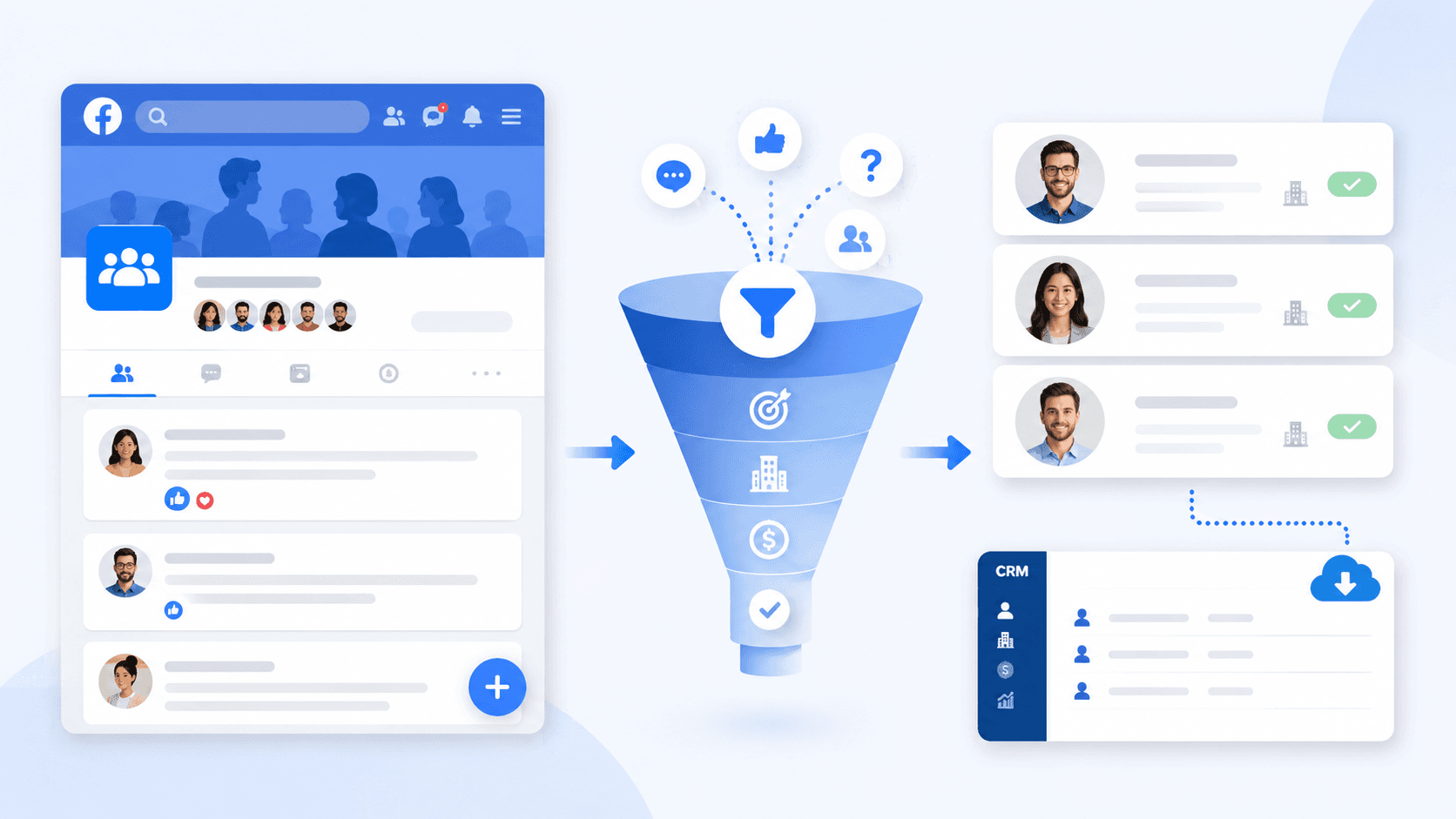
Imagine a Facebook group that has every member of your target audience. It's got thousands of group members. New posts every day. People are discussing the very problems that your product addresses.
And you still can't target any of these people.
You can still target these people. Facebook, on the other hand, has a different vision for contact info. Facebook actively combats the extraction of contact info at scale. A lot of Facebook email scraping tutorials gloss over this and give you a bunch of tools. I won't do that.
I'll show you three methods I know of for scraping emails from Facebook in 2026. I will cover a simple Google trick and automated Facebook email-scraping tools that handle the whole thing for you. I will even tell you what to do with your newly acquired email list.
Why Scraping Emails from Facebook Is So Hard
Most Facebook profiles, including group member pages, don't show email addresses. This is done on purpose, as Facebook doesn't want communication to move to users' email inboxes.
This goes beyond collecting data. Meta has a specialized team, External Data Misuse (EDM), that focuses on identifying and stopping automated data scraping. If EDM detects suspicious scraping activity, including IP addresses, it can result in permanent bans, IP address blocking, and even lawsuits. Meta takes violations of its scraping policy extremely seriously and bans accounts as a matter of course.
In this context, scraping email addresses becomes an extremely dubious activity. Facebook email scraping tools often lead to disappointment, as most of these scammers are just collecting a bunch of names and profile URLs. You'll receive a list of links, not a real email list.
Here's how emails show up on Facebook:
-
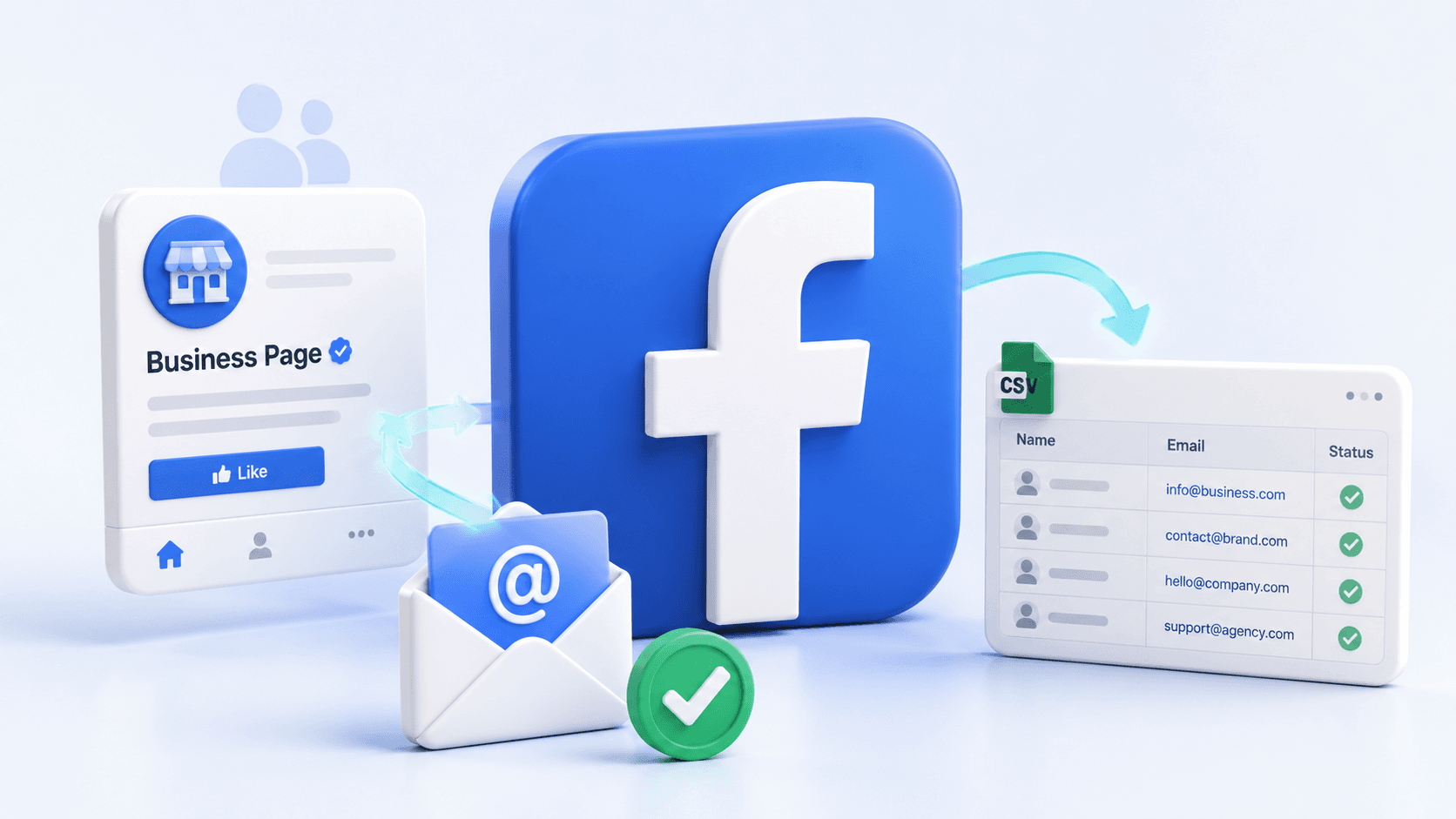
Business page "Contact" sections — some pages list a public email address
-
Group membership questions — group admins can require new members to submit their email for approval
-
Public bios and "About" sections — some users include their email in their Facebook profile
These prior examples have one important thing in common: an email can be collected from a Facebook profile or page only when a user has chosen to make their email visible. If users have chosen otherwise, it's not visible, and it cannot be accessed, legally or technically.
These are the places you can target. The rest of the document focuses on these.
Method 1: The Free Google Search Trick
This one surprises a lot of people. There's no special tool required, just Google.
Google has indexed public Facebook webpages, posts, and bios. If a user has publicly displayed their email address on Facebook, Google has likely seen and indexed it. You're not bypassing Facebook's systems; you're accessing data that is public.
Here's the search format:
site:facebook.com "your keyword" "@gmail.com"
Real examples you can try right now:
-
site:facebook.com "personal trainer" "@gmail.com"
-
site:facebook.com "real estate agent" "@outlook.com"
-
site:facebook.com "freelance designer" "@yahoo.com"
You will find public Facebook posts, as well as Facebook bios and pages where people have their email addresses exposed. Click, collect the email, jot down the situation, and keep going.
Looking to scrape emails from various domains simultaneously? Use operators in combination:
site:facebook.com "fitness coach" ("@gmail.com" OR "@yahoo.com" OR "@hotmail.com")
Facebook also has its own powerful search and filtering tools built into the platform. You can search for a keyword on Facebook to find public groups, pages, and posts from your audience and check those posts manually to see contact information.
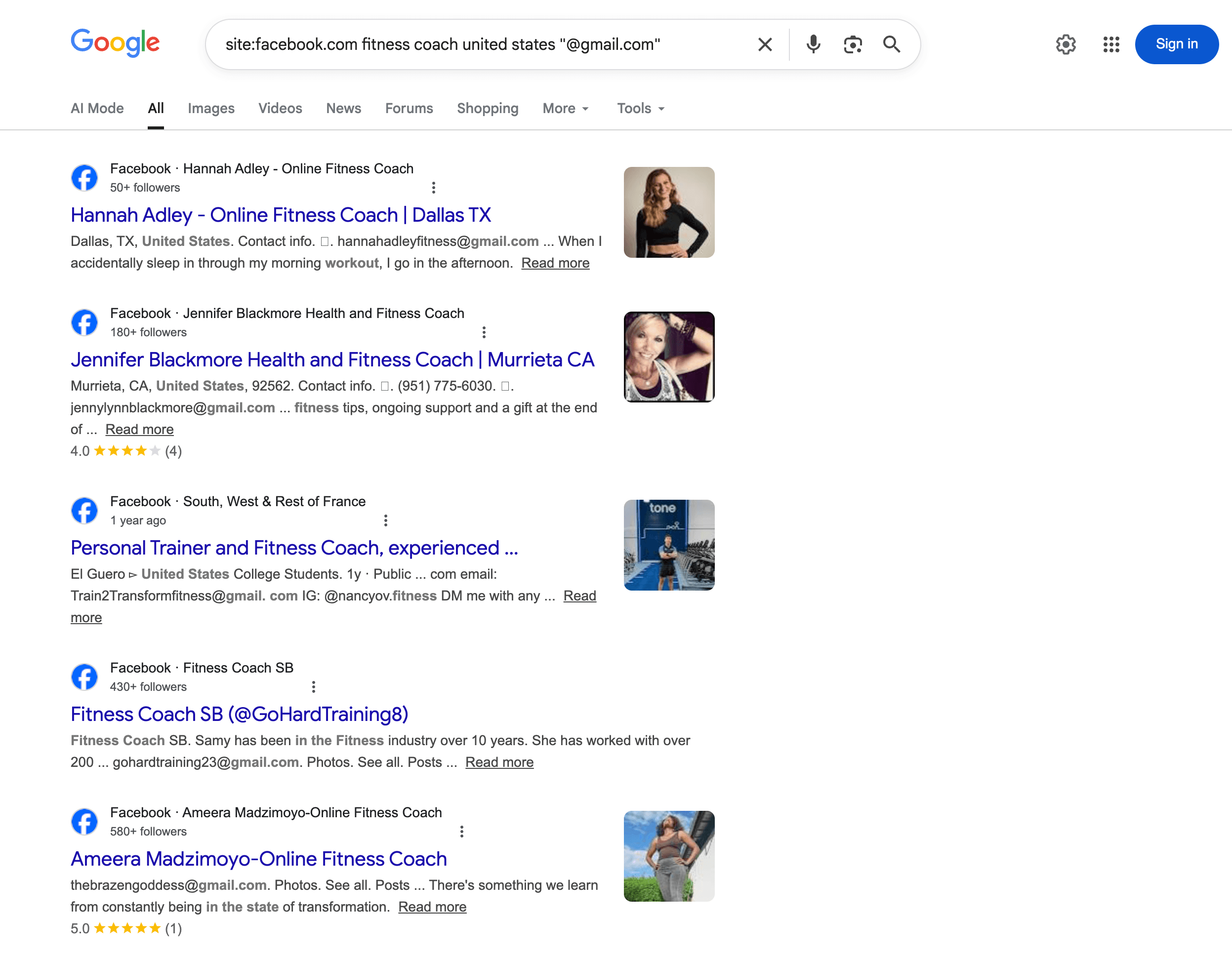
The honest limits of this method:
This is a bit dated, but it works. Each search returns about 10-20 results. From there, you click each one, copy emails, and then paste them into Google Sheets. For 50 emails, expect to spend 1 to 2 hours. For 500, you'll spend an entire day doing manual scraping.
This is a good approach if you're testing a niche and need a quick, small batch of potential leads. For anything on a lead generation scale, however, a different process is required.
Method 2: Facebook Group Membership Questions
One of the most ethical ways to collect leads on Facebook is through manual extraction of email addresses; that is, users share their contact information voluntarily. This is the most refined example of that practice.
As the owner of a Facebook group, you can create member screening questions that must be answered before someone can join the group. One of these questions is:
"Drop your email below and we'll send you [freebie/resource]."
Since most people respond to this if the offer is enticing enough, emails are collected legally, saving you from the penalties of the GDPR and CCPA.
For example, if your Facebook group is for freelance copywriters, you have 3,500 members, and you put a collection question in an email for a free rate card template. Within 30 days, 180 people would have joined the group. If 65% of the new group members answered that question, you would have gained 117 leads who voluntarily opted in to be contacted.
To do this, go to your group settings, select 'Membership Questions,' and add your question about email addresses. New members will see this question during the joining process. You'll be able to see their responses in the Group Admin panel, and you will need to export the data to Google Sheets yourself.
This only works if you previously owned or were the admin of a Facebook group. If not, this method will be unavailable.
Why the contacts are more valuable: Users don't just hand out their contact information, so when someone submits their email, they are showing a level of interest that a random cold email doesn't. This means they want to hear from you, and it was in the context of the community that they were part of. Open and conversion rates will be higher when emails are not a random cold scrape, which means this will increase the ROI on any marketing effort you have put in.
Method 3: Use a Facebook Email Scraper Tool (The Fastest Way)
If you need to generate a lot of potential leads, like 200, 500, or even more than 1,000, you can't rely on manual processes. You need to get email addresses quickly, and for this, you need tools like email scrapers.
Facebook scraping tools typically work like this:
-
You enter a keyword or a specific niche.
-
The tool searches for relevant Facebook groups and pages.
-
It scrapes publicly available information, like emails from business pages, bios, and public posts.
-
It exports everything into a CSV or Google Sheets document.
Some tools come with browser extensions that mimic human behavior. This allows the tool to scroll through member lists, comments, and public profiles. The idea is to slow the tool down enough to reduce the chances of detection by Facebook ED. However, this does not eliminate the chances of detection. Facebook's ED picks up automated behavior patterns, and accounts used to scrape aggressively can get flagged or banned.
The biggest limitation of scraping tools is that the vast majority stop once the scraped data is dumped into a spreadsheet. This spreadsheet contains duplicates, dead email addresses, and missing fields. You still have to clean, verify, and enrich everything yourself — often using a separate service like Hunter.io or Snov.io — before the list is usable.
This is where Scravio works differently.
How to Scrape Facebook Emails with Scravio
Scravio's Facebook email scraper is designed for cold outreach. The output is clean, verified, and enriched, requiring no manual cleanup. Here's how it works:
Step 1 — Enter your keyword. Type in the niche or topic you want to target, like "personal trainer", "mortgage broker", or "Shopify store owner". Users can pinpoint leads by specifying industry, geography, and niche groups to focus on leads with high conversion potential.
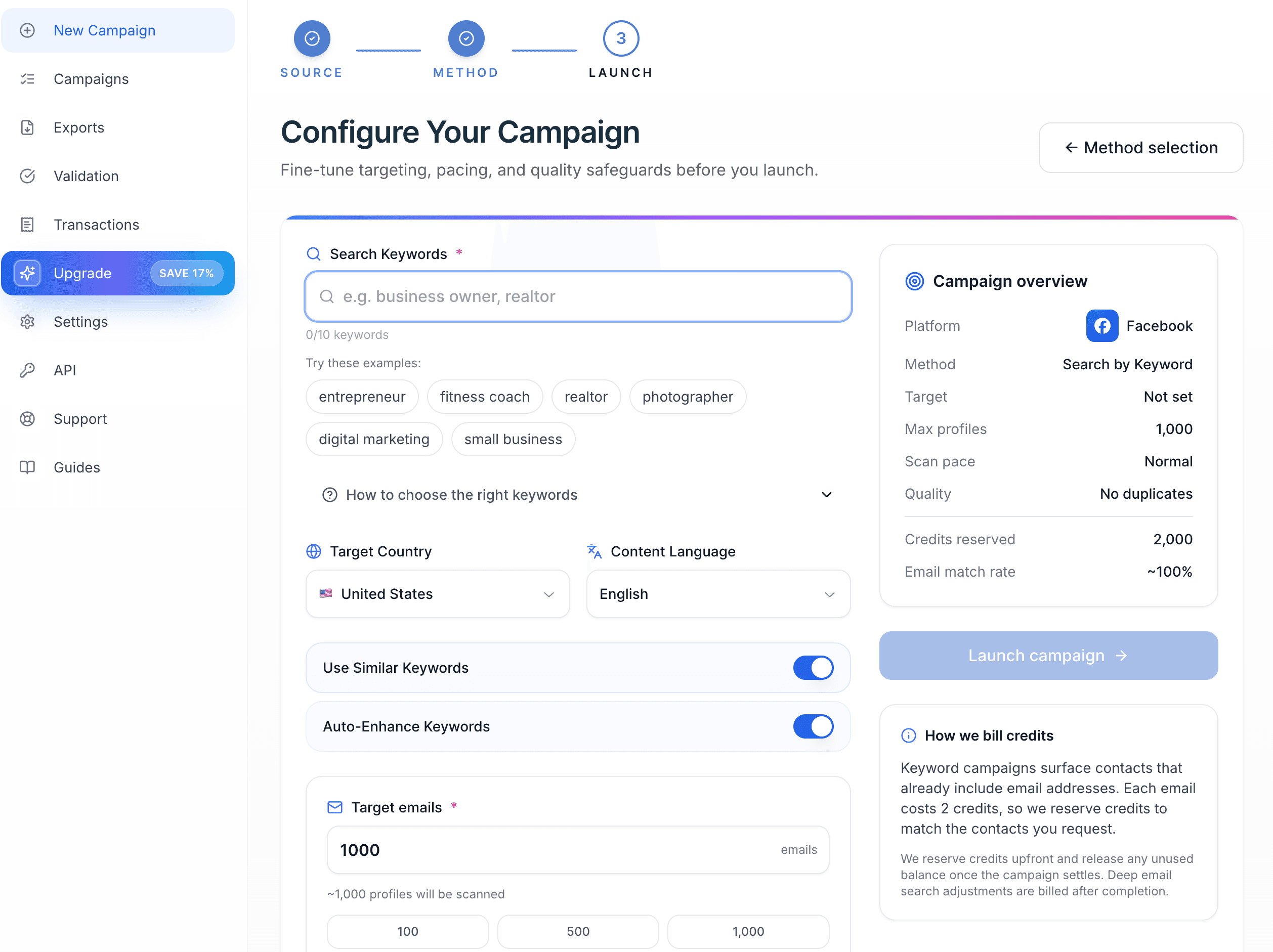
Step 2 — Scravio searches relevant Facebook groups and pages. It automatically searches Facebook groups and pages related to that keyword, and you can search for specific groups or pages. Scravio conducts extensive searches across the community on Facebook and collects all publicly available data.
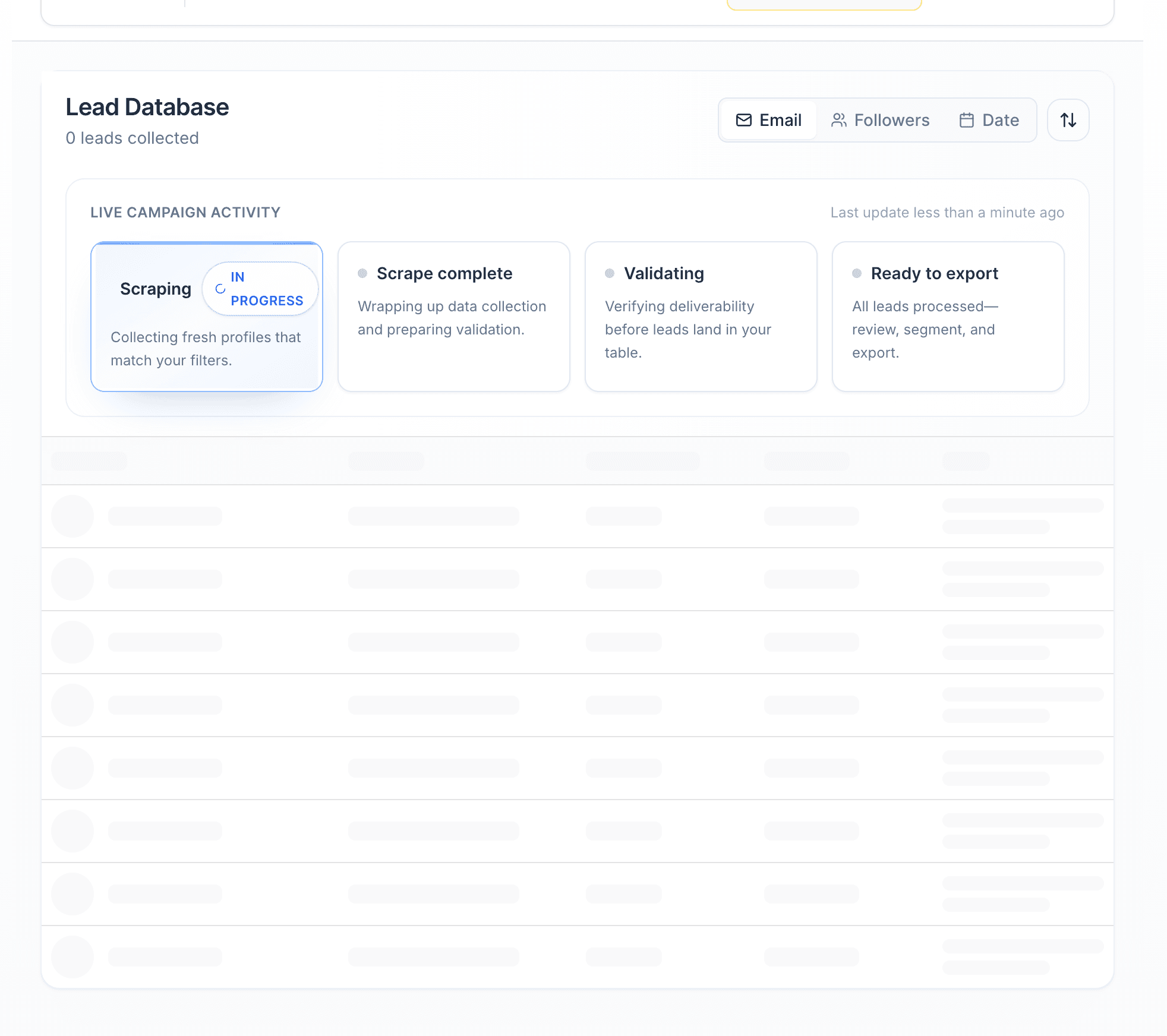
Step 3 — Scravio collects all data available publicly on contacts. Scravio collects all public information from a Facebook profile: email, name, profile picture, location, and phone number (if applicable). It collects an entire lead record from all Facebook profiles and does NOT just collect a plain email from a bio.
Step 4 — Email verification: As you scrape, emails are verified, which is where most email scrapers fail. They make you start scraping, export the data, then go through a separate verification process with a different service. While data is being collected, Scravio verifies email addresses in real time. Emails don't go to your email list, which means fewer bounces, fewer spam complaints, and a healthier sending reputation from the start.
Step 5 — Automatic duplicate filtering. Scravio captures it if the same contact is on various Facebook groups or pages. One user — not the same lead showing up six times in your spreadsheet.
Step 6 — Export and Send. Targeted email lists can be downloaded as a CSV file, or you can do a direct sync to Google Sheets. Now you can import it and start sending.
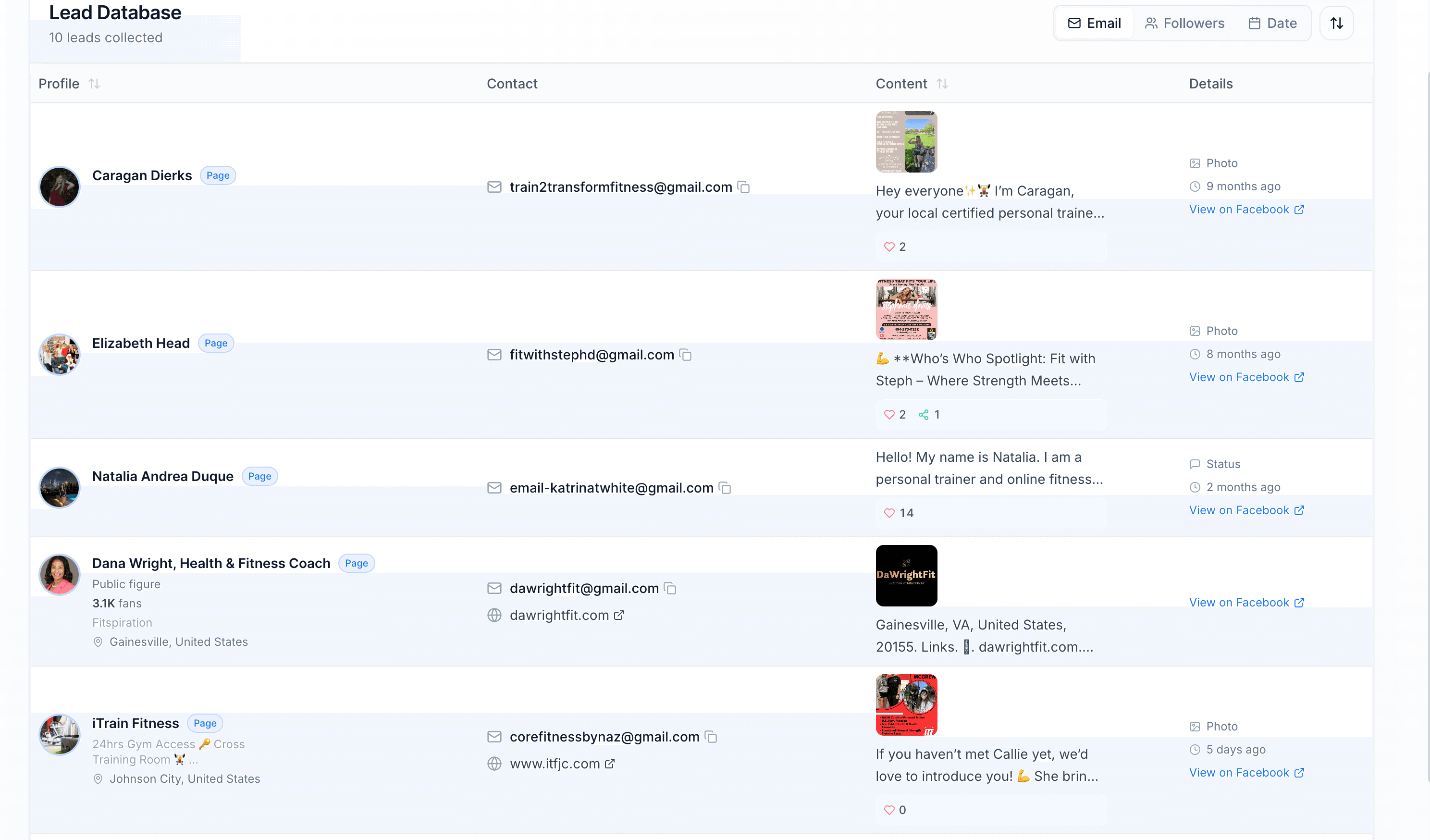
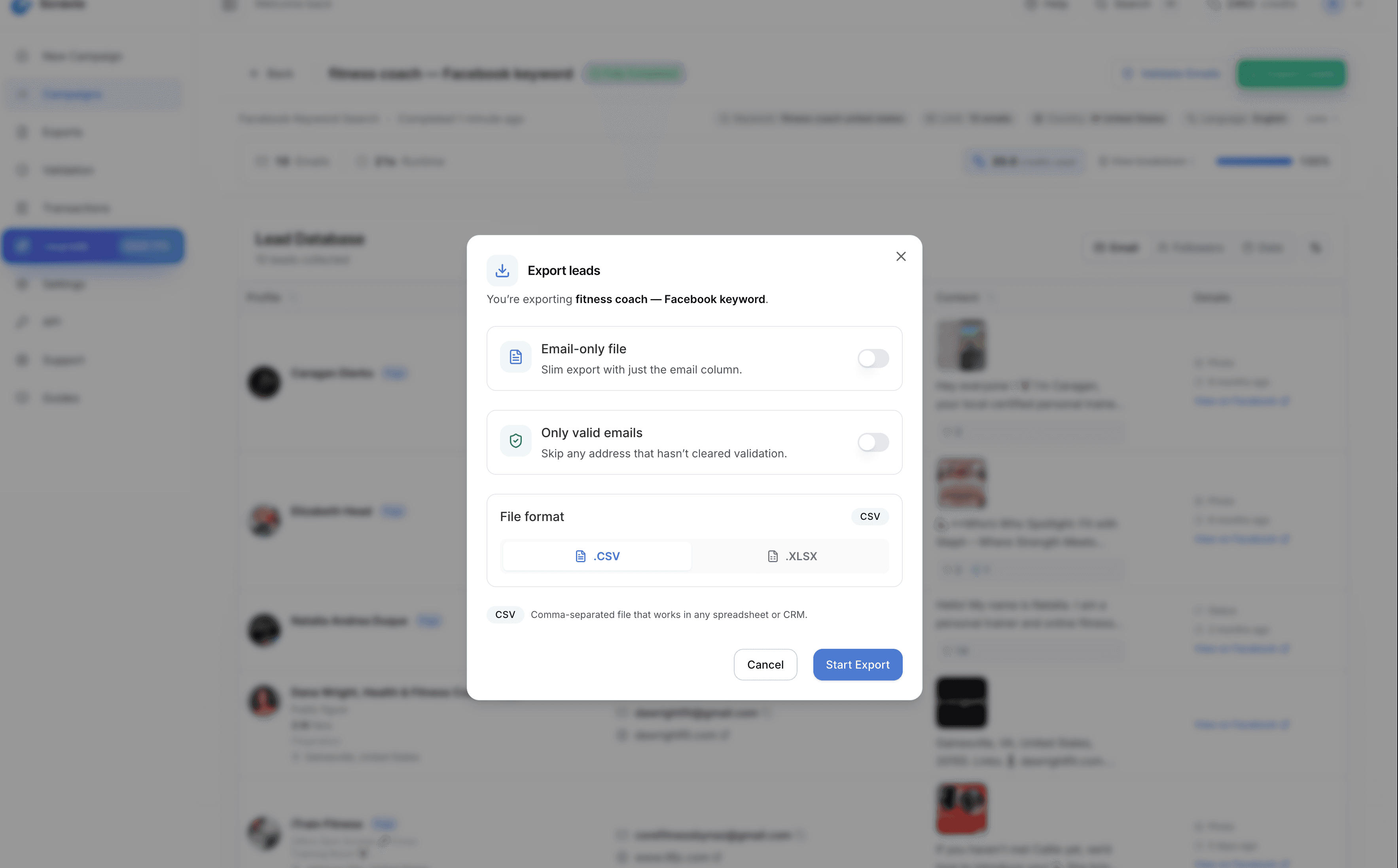
Here's what this looks like in practice:
Imagine you're an SDR working at a 10-person agency selling paid ad services to e-commerce brands. You input "ecommerce store owner" into Scravio, choose Facebook as the platform, and let it run. Twenty minutes later, you have 400 verified emails, names, locations, and Facebook profiles. You only want US-based contacts, so you select and export 280 records to a CSV, and then load them into your email sequence before lunch.
Now, spending a full day in Google trying to find 80 unprocessed emails to run through a different verifier, then finding 50 usable contacts, is highly inefficient. That's the difference between manual effort and the lead generation solution. To see how the leads finder tool works, check Scravio's Facebook email scraper breakdown.
What to Do With Your Email List Once You Have It
Most tutorials on scraping Facebook emails end at exporting contacts. But there is no real value in your list if you don't know how to monetize it. Here are the details to turn list building into profit. For a more complete breakdown, see our guide on how to get emails for marketing.
Before you send anything, segment your list. Not every person on your email list wants the same thing. Segmentation by geographic area, profession, or Facebook group will enable you to provide your audience with more relevant information. A personal trainer in New York will need a completely different outreach strategy than an online fitness coach.
Your email list is useless if no one is opening your emails. You need to incorporate strong psychological triggers into your email subject lines and write them in a way that makes your recipients feel important and motivates them to open the email. A subject line that reads "Quick question about [their niche]" will get an open more than one that says "I wanted to reach out…"
Don't include multiple call to actions in your emails. Your sole goal in sending an email is to get the recipient to do one specific thing- book a call, respond to the email, or click on a link. The more actions you include, the more you are splitting your audience's focus, and the less likely it is to lead to any real action. Choose one and give it your all.
Key metrics should be analyzed after each email campaign. Analyze the metrics after each email campaign: open rates indicate the effectiveness of your subject lines, click rates indicate how relevant your content is, and reply rates add to your understanding of how well you are targeting. Each campaign metric provides opportunities for future improvement. A cleaned, targeted email list will always outperform a broad, boring one.
Verify your email list for its consistent cleanliness. Email accounts become inactive over time, even after verification. If you are not sending emails regularly, run your email list through a verification pass as often as you can. If you are actively sending emails, implement an automated process to verify them as you collect them. Tools that do this include Scravio. A high bounce rate can become detrimental to your email sender domain. This will flag your account with the email service provider you use.
What's Legal and What Isn't: The Full Picture
This section is more important than most people give it credit for.
Meta's Terms of Service specifically prohibit any scraping. This can result in account termination or IP bans, and may also lead to civil lawsuits. Facebook has an entire External Data Misuse (EDM) team that actively hunts down and stops automated data collection. This is not a theory. Data collection is a ban-able offence.
The only way to get Facebook user data programmatically, legally, and with authorization is through the Meta Graph API. Using the Graph API to extract data, however, requires the data owner's consent, and user emails cannot be accessed without that consent. The API is intended for developers to create apps, not for mass lead generation.
The CCPA (California) and GDPR (E.U) protect email addresses and other personally identifiable information (PII) by law. Under the GDPR, CCPA, and other data protection laws, collecting, using, or storing PII without an individual's consent is illegal. Scraping publicly visible emails is in a legal gray area. Using these emails for mass marketing without a clear and obvious opt-out option is illegal.
Under the CAN-SPAM Act in the US, using email scraping for outreach is legal as long as you:
-
Fully disclose your identity and your company in each email
-
Provide a functional unsubscribe option
-
Do not use misleading subject lines and sender names
-
Process unsubscribe requests within 10 business days
Practical tips for legal compliance:
-
Email addresses should be collected from accessible and public data, such as company website contact pages, public bios, and group question submissions
-
Avoid using aggressive scraping tactics on your primary Facebook account
-
Always provide an opt-out option in outreach emails
-
Avoid scraping, account bypassing, and data harvesting from closed groups where you are not a member
When scraping emails from Facebook, avoid violating user trust and platform terms. Working within the boundaries of public, consent-based methods is the most ethical approach and yields the most qualified leads. Users who publicly shared their email or submitted it in a group question are more responsive to outreach than those who were scraped from private profiles.
Which Method Should You Use?
Use the Googling method if:
-
You need 20-50 potential leads to test a new niche
-
You want a cost-effective zero-budget method
-
You are going after a very specific niche audience
Use group membership questions if:
-
You run or admin a Facebook group community
-
You want warm, opted-in contacts who gave consent
-
You are looking to build lead generation long-term through valuable content and trust
Use Scravio if:
-
You need 200+ verified emails quickly
-
You want enriched data instead of scraping raw data, which you need to clean yourself
-
You are running cold outreach at scale, and manual work is not an option
Most people doing serious lead generation end up using all three. Google for quick niche validation, membership questions for the warm community-driven list, and Scravio for volume and verified data when it's time to scale. Scravio also works across other platforms — see how to scrape emails from Instagram or scrape emails from LinkedIn.
Frequently asked questions
Can you actually scrape emails directly from Facebook groups?
You cannot scrape emails from private groups. You can collect emails from public posts, the "Contact" section of business pages, public bios, and group membership questions where users voluntarily submitted their email. An email can only be collected from a Facebook profile or page when the user has chosen to make it visible.
Does the Google site:facebook.com trick actually work in 2026?
Yes. As long as Facebook content is set to public, Google indexes it. You will not get email addresses from private accounts or closed groups, but it works for public pages and posts. Expect about 10-20 results per search query, making it best for small-batch niche testing.
What is the best Facebook email scraper for groups?
Scravio is the most effective solution for extracting email addresses from Facebook groups. It searches relevant groups and pages, collects all publicly available contact data, verifies emails in real time, removes duplicates, and exports clean CSV files. It also works across Instagram, LinkedIn, YouTube, TikTok, and X.
How many emails can I realistically get from Facebook?
Using the Google search method, expect about 10-50 emails per hour of active searching. Using automated Facebook email scrapers like Scravio, you can collect 200-500+ verified emails in under an hour. Results depend on the niche and how many users have their email addresses publicly visible.
Is scraping emails from Facebook legal?
Scraping publicly available information is in a legal gray area. It violates Meta's Terms of Service and can result in account bans or IP blocks. Under the CAN-SPAM Act, using scraped emails for outreach is permitted if you disclose your identity, provide a functional unsubscribe option, avoid misleading subject lines, and process opt-out requests within 10 business days. Always comply with GDPR and CCPA when handling personal data.
What is the difference between scraping Facebook and using the Graph API?
The Meta Graph API is the only legitimate way to obtain data from Meta platforms programmatically. However, it requires user permission to access email data, making it impractical for cold outreach. Scraping tools pull publicly accessible data from profiles and pages without using API access, which is faster but violates Meta's Terms of Service.
Start your first campaign with 100 free credits
Verified emails from Instagram, Facebook, LinkedIn, X, YouTube, and TikTok — all in one cloud workflow. No card required.