Facebook Group Lead Generation: Get High-Quality Leads
Use this 4-step Facebook group lead generation system to get high-quality B2B leads, automate capture to your CRM, and scale outreach with clean email lists.

On this page (10 sections)
Facebook group lead generation is one of the most underrated ways to get high-quality B2B leads without paying for ads. When you treat Facebook Groups as intent-rich environments instead of random audiences, you can use social media lead generation, social listening, and simple workflows to consistently find people who are already talking about the problems you solve.
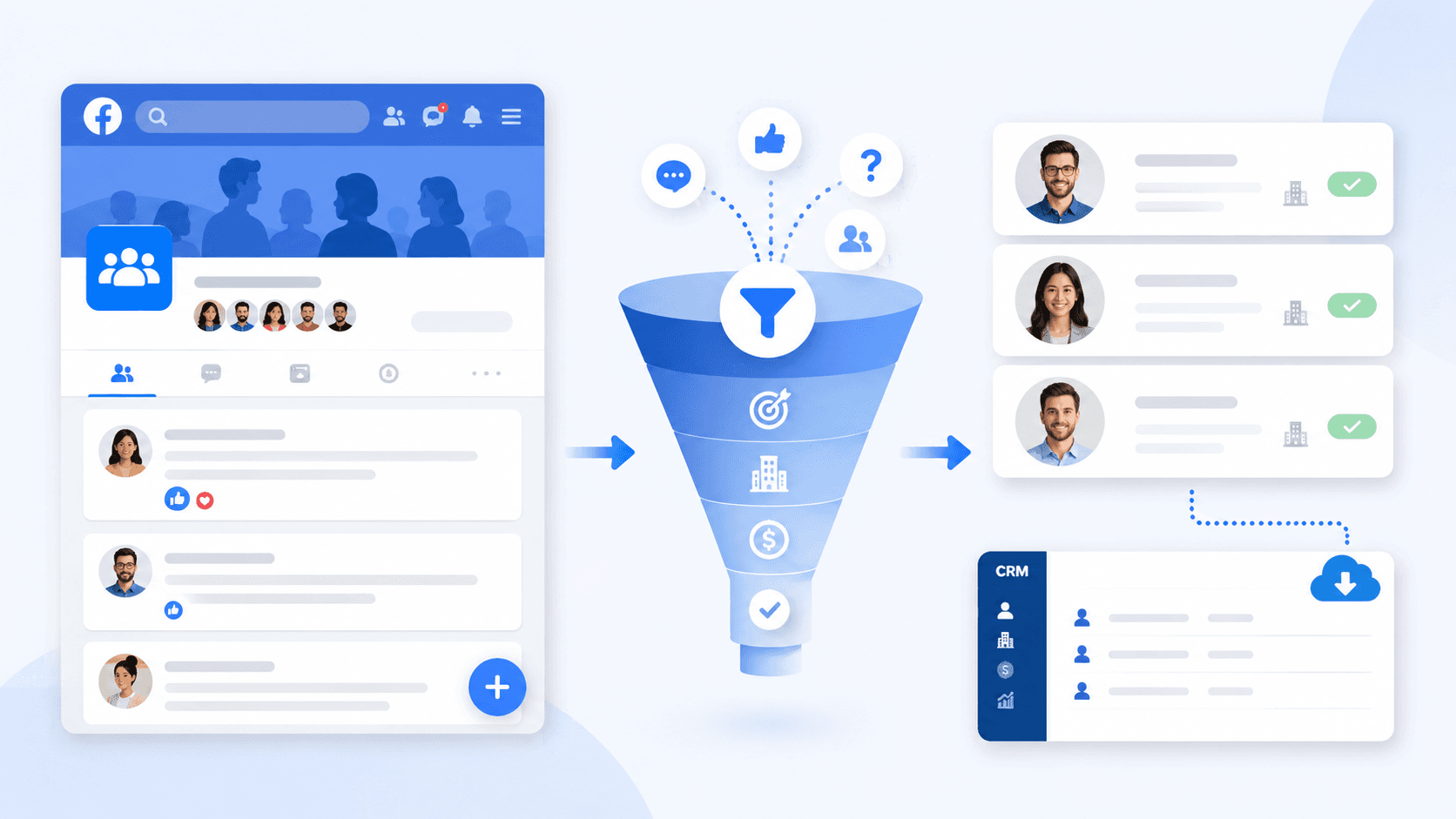
In this guide, you will see a practical facebook group lead generation strategy that works even if you are busy and prefer systems over guesswork. The article explains how to use Facebook Groups for lead generation, how to spot buying signals, and how to move people from a public comment into a qualified contact inside your CRM through a clear 4-step lead generation funnel.
What You'll Get From This Facebook Group Lead Generation Framework
By the end of this article, you will have a simple 4-step system to generate high-quality leads from Facebook Groups and turn them into a ready-to-contact email list without spamming. Instead of posting offers and hoping for the best, this framework shows how to build a repeatable process that respects group rules and still creates pipeline.
This framework helps with three practical outcomes. First, it shows how to choose relevant Facebook Groups that actually contain your ideal buyers. Second, it explains how to engage in a way that attracts replies, DMs, and real conversations from potential customers. Third, it shows how to capture those conversations, organize the data, and push qualified leads into your CRM or Google Sheets for follow-up.
This article focuses on strategy and workflow first. If you want a tool that helps turn public opportunities from Facebook into usable contact data, Scravio can be part of that process through its lead-finding and email scraping workflows.
What "High-Quality Leads" From Facebook Groups Really Look Like
A high-quality lead from Facebook Groups is not just a random member who joins a community. In B2B, a good lead usually fits the ideal customer profile, has a clear pain point, shows buying intent, and either makes decisions or strongly influences them.
That difference becomes obvious when comparing behavior. A person who enters an email to get a free resource but never replies, never opens messages, and never engages again is usually a weak lead. By contrast, facebook group members who ask detailed questions, comment on case studies, and follow up in private messages tend to be much stronger signals of intent. Leads who ask about pricing, implementation, or integration often convert better than people who only join for a freebie.
That is why facebook group lead generation should focus less on raw volume and more on signal quality. The goal is not to collect as many names as possible, but to identify qualified leads and potential leads whose behavior shows they are actually interested.
The 4-Step Facebook Group Lead Generation System (Overview)
A strong facebook group lead generation system does not need to be complicated. It only needs to connect the right communities, the right conversations, and the right follow-up process into one simple workflow.
The framework in this guide works like this:
-
Choose Facebook Groups that actually contain your ideal buyers.
-
Show up and engage without sounding salesy.
-
Capture intent with onboarding questions, welcome posts, and lead magnets.
-
Turn those conversations into a usable list of contacts, then move them into your CRM and outreach stack.
A simple way to visualize the process is:
Facebook Groups → buying-signal conversations → qualified contacts → CRM and outreach → calls and revenue
That is the core lead generation funnel this article will build step by step.
Step 1: Choose Facebook Groups That Actually Contain Your Ideal Buyers
Define Your Ideal Customer Profile Before You Join Any Group
Effective facebook group lead generation starts with a clear ideal customer profile. Without that filter, it is easy to join broad groups filled with noise, low intent, and members who will never become customers.
A simple ICP for this channel should include niche, team size, role, current workflow, and main pain. For example, a B2B agency business owner using cold email and LinkedIn, struggling with list quality and deliverability, is very different from a beginner marketer in a general business group. The clearer the profile is, the easier it becomes to identify which relevant Facebook Groups actually match the right target audience.
A quick template can include:
-
Industry or niche.
-
Team size or revenue range.
-
Main acquisition channel.
-
Tech stack such as CRM and email tools.
-
Core pain point.
-
Buyer role and decision power.
How to Evaluate a Facebook Group for Lead Potential
Once the ICP is clear, each group can be judged on lead potential instead of size alone. The best groups are not always the biggest ones; they are the ones where the right people have the right conversations.
Use a short checklist when reviewing groups:
-
Public vs private: for compliance and data workflow reasons, public groups are easier to work with, while private groups require more caution.
-
Content mix: look for pain-driven posts instead of endless self-promotion.
-
Engagement quality: comments matter more than likes.
-
Rules: read what group admins allow around links, DMs, and vendor participation.
-
Intent depth: check whether members ask about tools, process, pricing, or implementation.
Some groups look active but produce weak results because most posts are just people sharing their own links. In practice, smaller niche communities often generate better conversations and better leads because members share similar interests and more specific business problems.
Quick Ways to Find High-Intent Facebook Groups in Your Niche
A good way to find useful groups is to search for the problem, not just the market label. Instead of searching only for "marketing," search for phrases tied to real pain such as "client management," "cold email deliverability," or "agency growth."
Other practical ways to explore include checking which groups respected founders, agency owners, or creators in your niche have joined, and using Facebook's suggested groups after entering a few strong communities. That approach usually helps surface relevant Facebook Groups where the audience already shares similar interests and intent.
Step 2: Show Up Without Spamming – How to Attract Inbound Leads in Groups
What to Post (And Comment) to Be Seen as "Helpful", Not "Salesy"
The fastest way to lose trust in Facebook Groups is to act like every thread is a sales opportunity. People respond much better to useful breakdowns, specific examples, and comments that genuinely solve a problem.
The formats that tend to work best include:
-
Mini case studies with a clear before-and-after result.
-
Workflow breakdowns that explain how something was done.
-
Detailed answers under other people's posts.
-
Comments that add insight without dropping a link in every reply.
In most communities, a thoughtful comment that explains one useful process creates more replies and private conversations than a vague promotional post. That is especially true when the goal is generating leads rather than collecting vanity engagement.
Daily Routine: 15–30 Minutes a Day to Stay Top-of-Mind
This channel does not need hours of daily effort. A focused 15 to 30 minute routine is usually enough to stay visible, monitor conversations, and catch intent at the right moment.
A practical routine looks like this:
-
5 to 10 minutes: monitor Facebook Groups using buying-signal keywords.
-
10 to 15 minutes: reply to two or three strong posts with detailed insights.
-
5 minutes: revisit old threads, respond to replies, and keep useful conversations moving.
This structure helps save time while still building familiarity inside the group. Over a month, even a small number of high-quality replies can create a steady stream of conversations and potential leads.
How to Move from Public Comment to Private Conversation Naturally
The move from public thread to direct message should feel natural, not forced. A good rule is to offer help only after providing public value first.
Simple bridges can work well, such as saying that more detail can be shared in a private message to avoid cluttering the thread, or inviting the other person to message first if the group culture is strict. That approach respects group norms while still helping people connect and continue a useful conversation.
Step 3: Capture Intent With Onboarding Questions, Welcome Posts and Lead Magnets
Design Facebook Group Onboarding Questions That Qualify Leads
If the group is owned or managed directly, onboarding questions are one of the easiest ways to capture intent early. They help approve members, qualify them, and collect enough context to understand which people may become strong leads.
Three categories work especially well:
-
Pain question: what is the biggest current challenge?
-
Context question: what tool, workflow, or system is being used today?
-
Permission question: would the member like a checklist, template, or other resource by email?
For example, one useful question is: "How are you currently building your email list?" That simple prompt reveals process maturity, urgency, and whether the member is doing it manually or with a tool. If public websites or Facebook pages are available, that context can later support a workflow using a Facebook email scraper such as Scravio.
Turn New Members Into Email Subscribers With a Simple Lead Magnet
A useful lead magnet helps move group attention into an owned email list. The best offers are simple, practical, and tied directly to the pain that brought the member into the group.
Examples that fit this topic include:
-
A "Facebook Group to CRM Checklist."
-
A keyword list for monitoring buying signals.
-
A short set of outreach templates for leads from Facebook.
-
A piece of exclusive content such as a simple workflow PDF.
The goal is not to impress people with complexity. It is to give them one clear next step that turns attention into permission-based contact data.
Use Welcome Posts to Start the Relationship, Not to Sell Immediately
A welcome post works best when it starts a conversation rather than pushing an offer. The strongest version introduces the purpose of the group, asks one open question, and lightly points members toward a useful resource.
This matters because members are more likely to engage when they feel seen instead of sold to. In many groups, a warm welcome post creates more meaningful replies than a website link dropped too early.
Step 4: Turn Group Conversations Into a Lead List You Can Actually Use
Identify the Right People and Conversations to Track
Not every interaction deserves a place in the CRM. The most useful signals usually come from people asking for recommendations, comparing services, discussing pain points, or asking for help with implementation.
The easiest people to track are:
-
Members asking specific questions.
-
Threads with sustained discussion.
-
People who return more than once to the same topic.
-
Members who sound clearly interested in solving a business problem.
These are the conversations most likely to become real leads from Facebook rather than passive engagement.
Organize Leads by Segment, Intent and Next Step
A messy spreadsheet quickly becomes useless. Strong lead generation from Facebook Groups depends on organizing data by segment, intent, and next action.
A simple structure can include:
-
Segment or niche.
-
Role.
-
Intent level.
-
Source group.
-
Next step such as DM, email, or LinkedIn follow-up.
At the early stage, Google Sheets is enough. Later, the same structure can move into a larger CRM or automation workflow without much friction.
Common Mistakes That Make Your Facebook Group Lead List Useless
A lead list becomes weak when it is collected too broadly, left unverified, or never nurtured after capture. Those three mistakes are common and directly reduce the value of the channel.
The most frequent issues are:
-
Collecting too many poor-fit contacts.
-
Not cleaning or verifying email data.
-
Never following up after the first interaction.
-
Treating every lead like a ready buyer.
Another avoidable issue is relying on scraping workflows that do not verify contact data well. That can create high bounce rates and hurt outreach performance over time. A deeper comparison of tool quality appears in Scravio's article on the best email scraper tools.
How to Monitor Buying Signals in Facebook Groups With Keywords
Create a Buying-Signal Keyword List for Your Niche
The simplest way to spot intent faster is to build a list of phrases that signal real buying behavior. These keywords act as triggers for finding members who may be actively looking for a solution.
Examples include:
-
"recommend tool"
-
"any software for"
-
"agency to help with"
-
"done for you"
-
"email deliverability"
-
"best way to"
-
"who can help"
Different niches need different lists, but the goal stays the same: make it easier to track, monitor, and find moments when prospects show clear interest.
Manual Monitoring Tactics You Can Start Today
Before using advanced tools, the manual version is enough to start. Search within groups, revisit old threads, turn on notifications, and keep a short log of recurring pain points.
This is a simple system for people who want to start fast without overbuilding. It helps keep focus on what matters and makes it easier to spot relevant conversations before investing in automation.
When to Use Tools for Facebook Group Keyword Alerts (And What to Watch Out For)
When group volume grows, tools can help monitor keywords at scale. Search results show tools and software categories such as Devi AI and Syndr.ai that focus on monitoring Facebook Groups for leads and keyword-based alerts.
Used carefully, these tools can help surface useful conversations and save manual effort. However, context still matters. A keyword match does not automatically mean a strong lead, especially inside private groups where rules are tighter and outreach must be handled carefully.
Once a useful signal appears, the next step is often to move from raw discussion to usable contact data. That is where multi-platform workflows matter, because the best prospect data may live across Facebook and other platforms such as Instagram, LinkedIn, or YouTube. Scravio's broader email scrapers are designed for that type of workflow.
How to Send Facebook Group Leads Into Your CRM and Outreach Stack (The Scravio Way)
Map Your Stack: From Facebook Group to CRM and Email Sequences
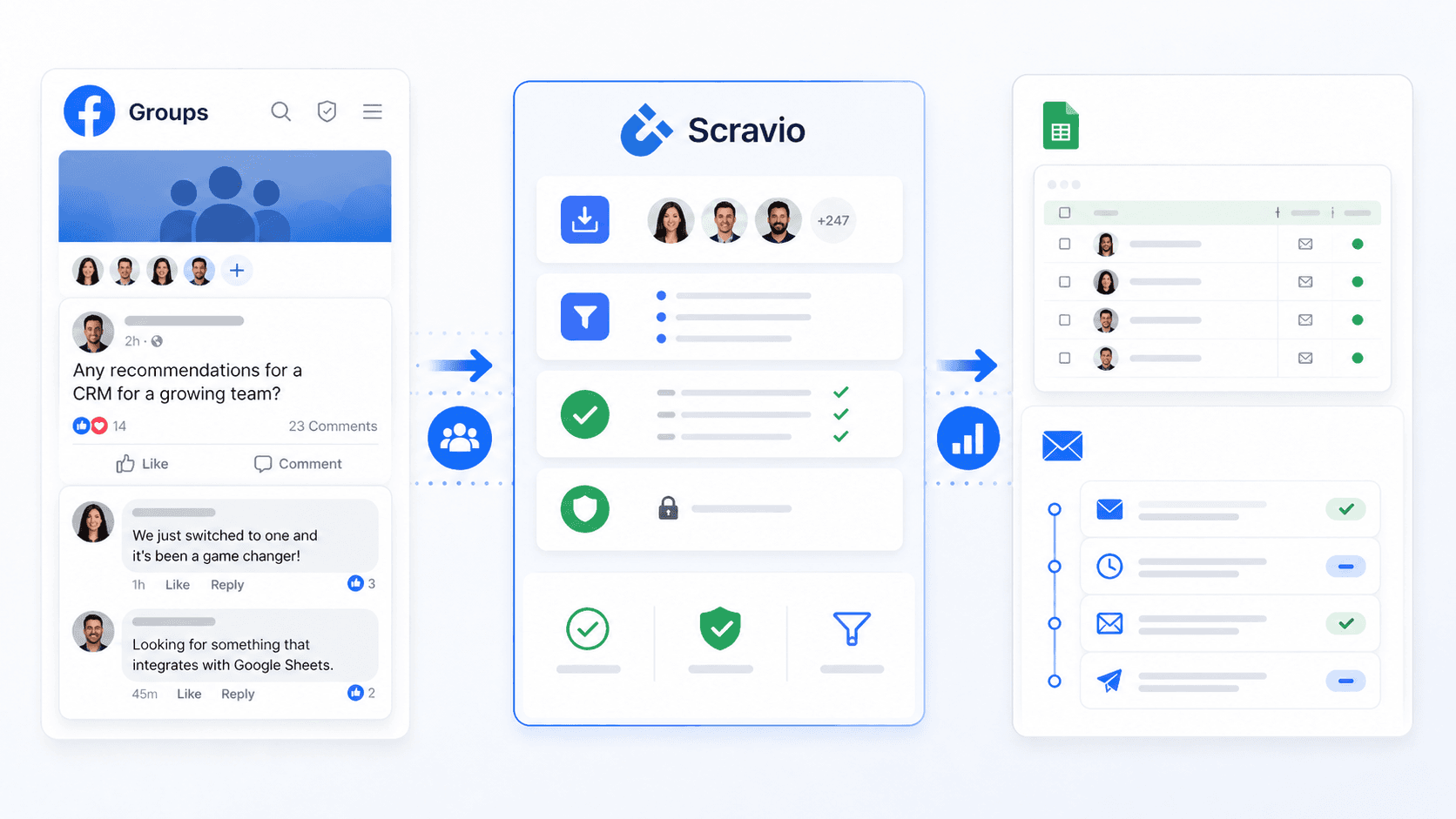
A working stack makes this channel far easier to manage. The basic flow is simple: identify the right conversation, collect public contact data where appropriate, organize the information, and move it into a follow-up system.
A practical version looks like this:
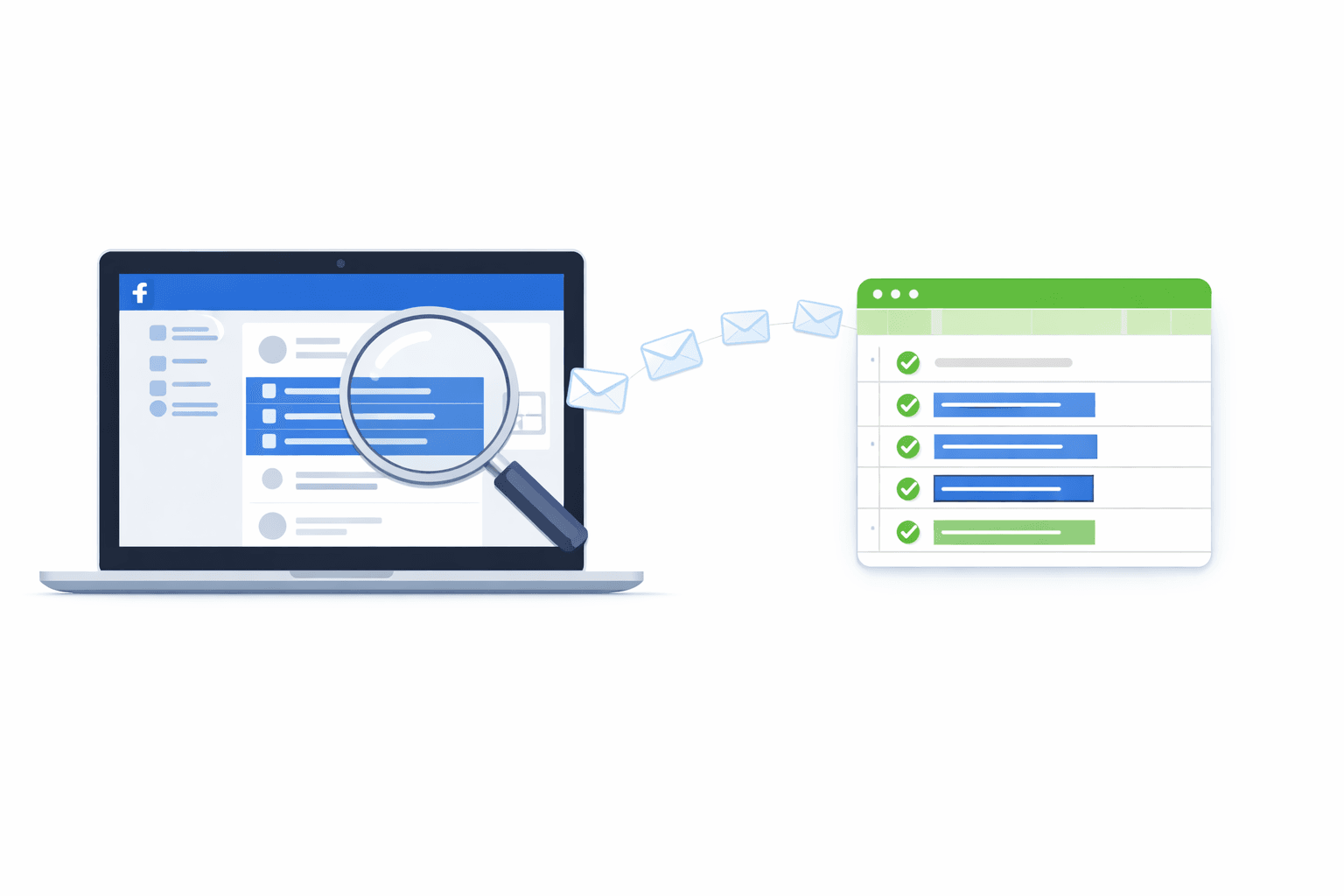
Facebook Groups → identify lead → collect public data → Scravio → Google Sheets or CRM → outreach
This approach helps keep everything in one place and reduces the need to manage leads by memory alone. It also makes it easier to support handoff between marketing, sales, and operations.
Example Workflow Using Scravio for Facebook Group Lead Generation
A simple workflow can begin with one or two strong groups, one clear keyword set, and a short lead-tracking sheet. From there, useful public contact data from Facebook pages or related web properties can be pulled into a cleaner process using Scravio.
That process often looks like this:
-
Pick one or two relevant groups.
-
Watch posts and comments for buying signals.
-
Capture promising names, pages, or websites.
-
Export useful contacts into Google Sheets or a CRM.
-
Segment by niche, intent, and next step.
-
Send thoughtful follow-up through email or LinkedIn.
This kind of workflow is not about aggressive automation. It is about making the lead capture process more reliable, user friendly, and easier to repeat.
How to Keep Your Data Clean, Verified and Compliant
Data quality matters because bad data quietly damages outreach. Verification, deduplication, and respect for public-vs-private boundaries are essential parts of a compliant workflow.
That means using public data only, avoiding shortcuts that break community trust, and keeping opt-out behavior in mind. It also means remembering that the goal is not just to collect data, but to build a clean list of contacts that can support real conversations and better sales outcomes.
Real Example: From One Facebook Group to Dozens of Qualified B2B Leads
The Setup: Niche, Group Type and Goal
A realistic example for this strategy is a small B2B agency using Facebook Groups to find prospects discussing lead generation, outreach, and deliverability. Instead of trying to reach everyone, the goal is to find qualified leads inside a small number of relevant communities.
The setup usually works best when the niche is narrow, the problem is clear, and the audience already talks openly about tools, workflows, or growth challenges. That makes it much easier to turn discussion into usable pipeline.
What We Did in 30 Days (Without Posting "Buy My Tool")
A disciplined 30-day sprint often looks simple on paper. The process includes monitoring posts, replying to strong threads, revisiting comments, and keeping a log of who seems genuinely interested.
Most of the work comes from consistency rather than complexity. Helpful comments, repeated visibility, and well-timed follow-up usually create better outcomes than promotional posting.
Results, Conversion Numbers and Lessons Learned
The main lesson from this kind of campaign is that depth usually beats breadth. Better conversations, better filtering, and better organization create stronger results than joining too many groups or trying to automate too early.
It also becomes clear that not all groups deserve equal attention. Some produce real discussions and useful contacts, while others create noise. A strong workflow helps separate those quickly and keeps focus on the groups that are actually relevant.
In cases like this, public group and page data can be the starting point for a broader workflow into email outreach. For a deeper technical guide on that process, see Scravio's walkthrough on how to scrape emails from Facebook Groups.
Frequently asked questions
Is Facebook group lead generation still effective in 2026?
Yes. Facebook Groups remain one of the most intent-rich B2B channels because members openly discuss problems, tools, and pricing. The key is to treat groups as conversation environments rather than ad audiences — engagement on pain-driven posts beats promotional posting every time.
How many Facebook groups should I join to find leads?
Fewer than you think. One or two narrow, high-intent groups usually produce better results than ten broad ones. Smaller niche communities tend to have deeper conversations and more buying signals, while large general groups are dominated by self-promotion and create noise.
What are the best buying-signal keywords to monitor in Facebook groups?
Phrases that signal active search for a solution: "recommend tool", "any software for", "agency to help with", "done for you", "email deliverability", "best way to", and "who can help". The exact list depends on your niche — adjust based on the language your buyers actually use.
Can I scrape emails from Facebook group members directly?
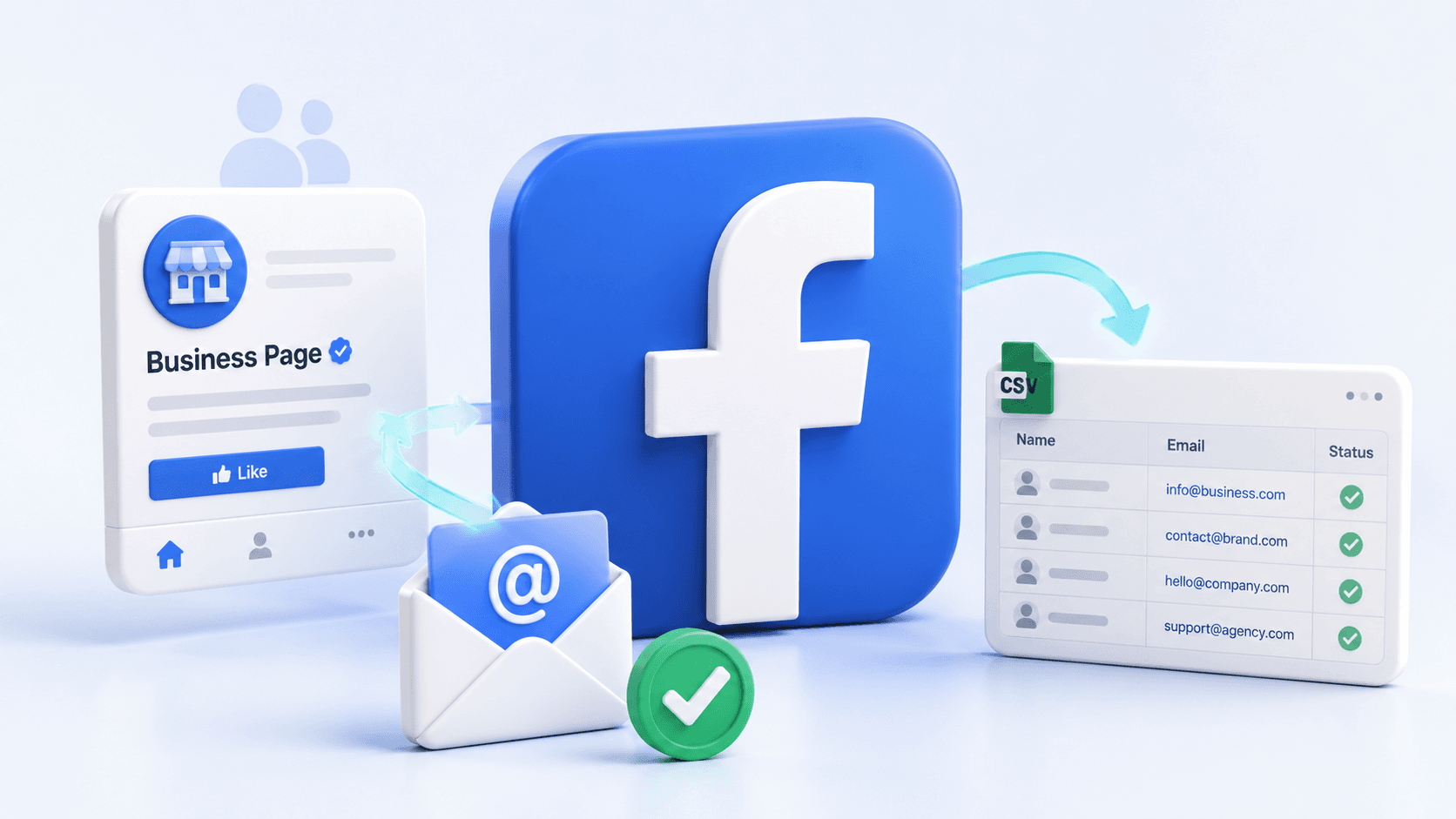
You can only collect emails that members have published publicly — on business pages, in About sections, in welcome posts, or via group onboarding questions where they opted in. Scravio's Facebook email scraper handles this kind of public-data workflow. Bulk scraping behind privacy boundaries violates Facebook's terms and risks bans.
How long does it take to see results from Facebook group lead generation?
A focused 30-day sprint with 15-30 minutes of daily engagement is usually enough to produce a steady flow of conversations and qualified leads. Consistency matters more than complexity — helpful comments, repeated visibility, and well-timed follow-up compound faster than promotional posting.
Start your first campaign with 100 free credits
Verified emails from Instagram, Facebook, LinkedIn, X, YouTube, and TikTok — all in one cloud workflow. No card required.