
How To Find "Contact Ready" Instagram Profiles Without Guessing (2026)
Learn to qualify Instagram profiles as "contact ready" using the Stopwatch Protocol, CRI scoring, and 9-question decision tree for outreach.

On this page (45 sections)
Audience: people who do brand deals, Agencies, B2B Sellers, Partnerships Teams, local business outreach, UGC Ops
Goal: to qualify Instagram profiles as fast as possible so that you contact the right people in the right channel with the right angle.
Ethics note (read this first): This article is about qualifying and getting in touch with profiles based on the information people put out in public (bio, links, professional contact options). It is not a guide to spam. If a profile states "no DMs" / "no solicitations," respect it. If you do outreach on a large scale, ensure that your process complies with laws and terms of service.
Why "contact-ready" is another skill than "finding an email"
Most outreach doesn't work for a boring reason: you're reaching out to profiles that were never intended to be reached out to.
A profile can have:
- 200k followers and no business intent
- a visible email but no operational maturity (nobody checks it)
- a beautiful feed with no decision-maker access
- lots of activity but high risk/noise/spammy/weird redirects/engagement farms
So rather than foraging for one signal ("email in bio"), you need a quick triage technique which will answer four questions:
- Reachability: Is it accessible to me in one or two taps?
- Intent: Do they want to receive business inquiries?
- Maturity: Are they acting like someone who responds?
- Risk: Is this safe and real?
That's what you get from this guide.
The Stopwatch Protocol: 6 snapshots x 5 seconds (30s)
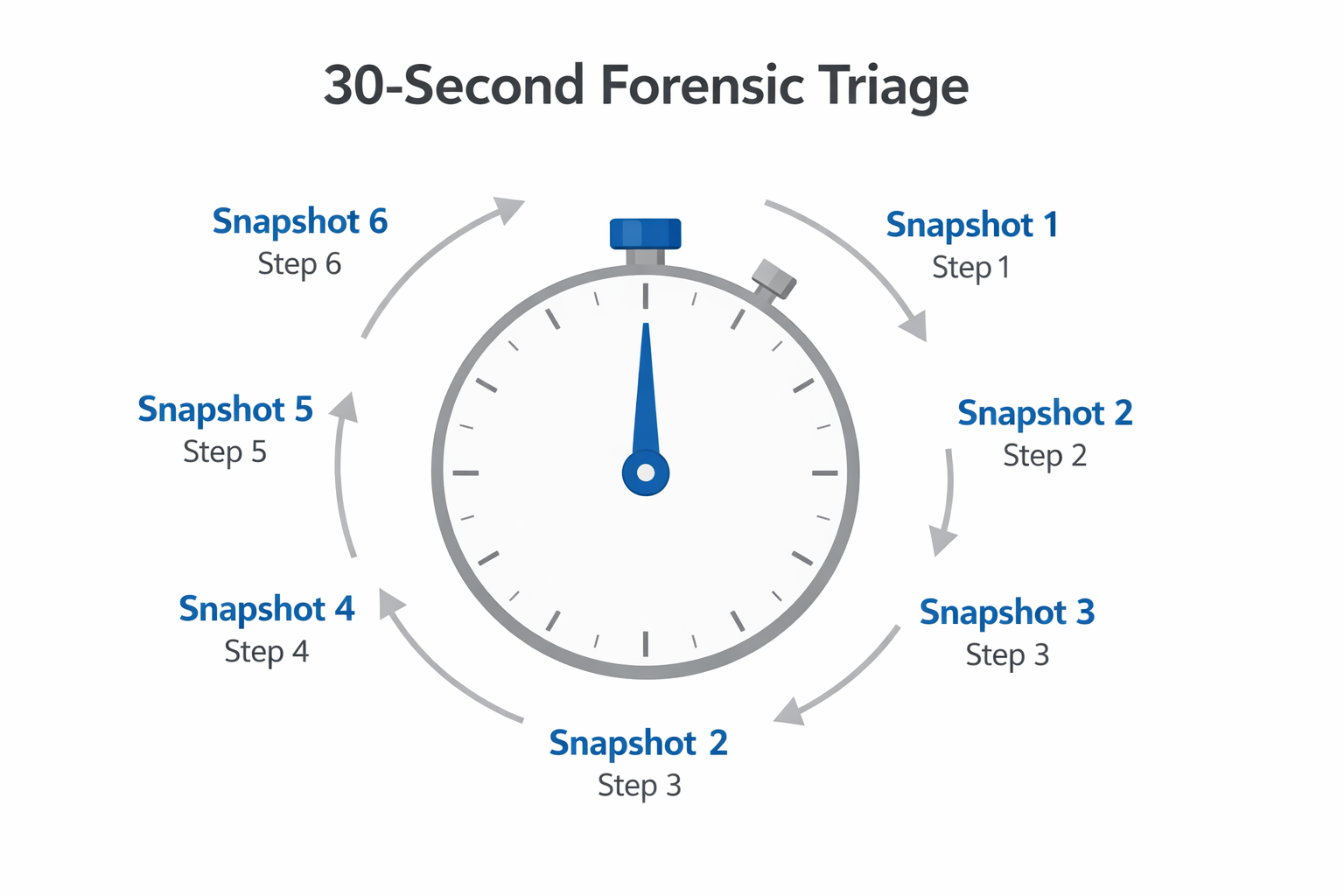
Open up a profile and try to run these snapshots in order. Don't scroll aimlessly. You're gathering evidence like a checklist, like a forensics checklist.
Snapshot 1 (0-5s): "What if I can get to them in 1 tap?"
Look for:
- Email shown in bio
- Button "Contact"/action buttons (Email/Call/Directions/Book)
- Real website link (not just an aggregate)
Decision:
- If you can reach them in 1-2 touches, then this is high reachability.
- If it's 3+ taps (link - landing page - click - form), then we have reachability, but higher levels of friction.
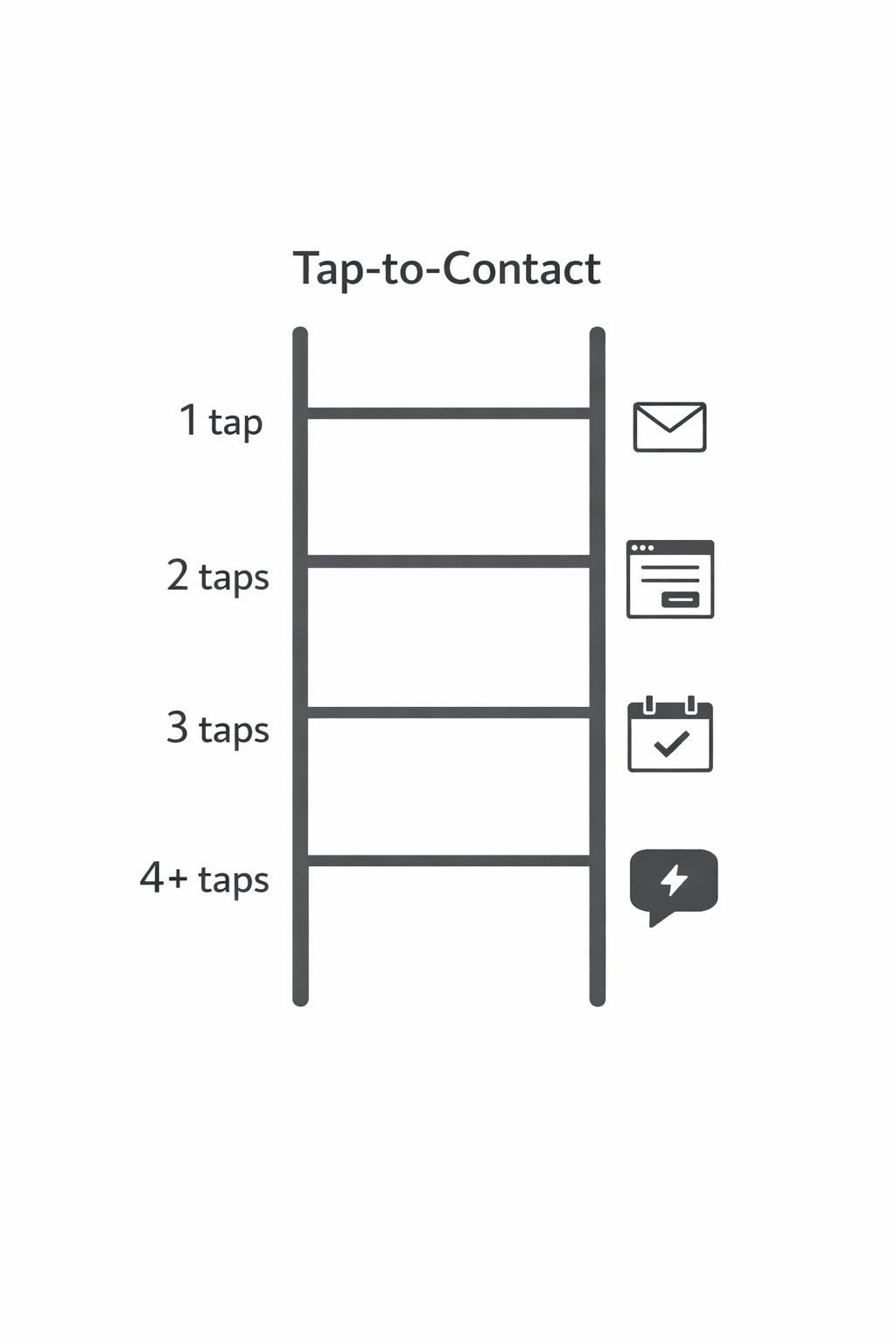
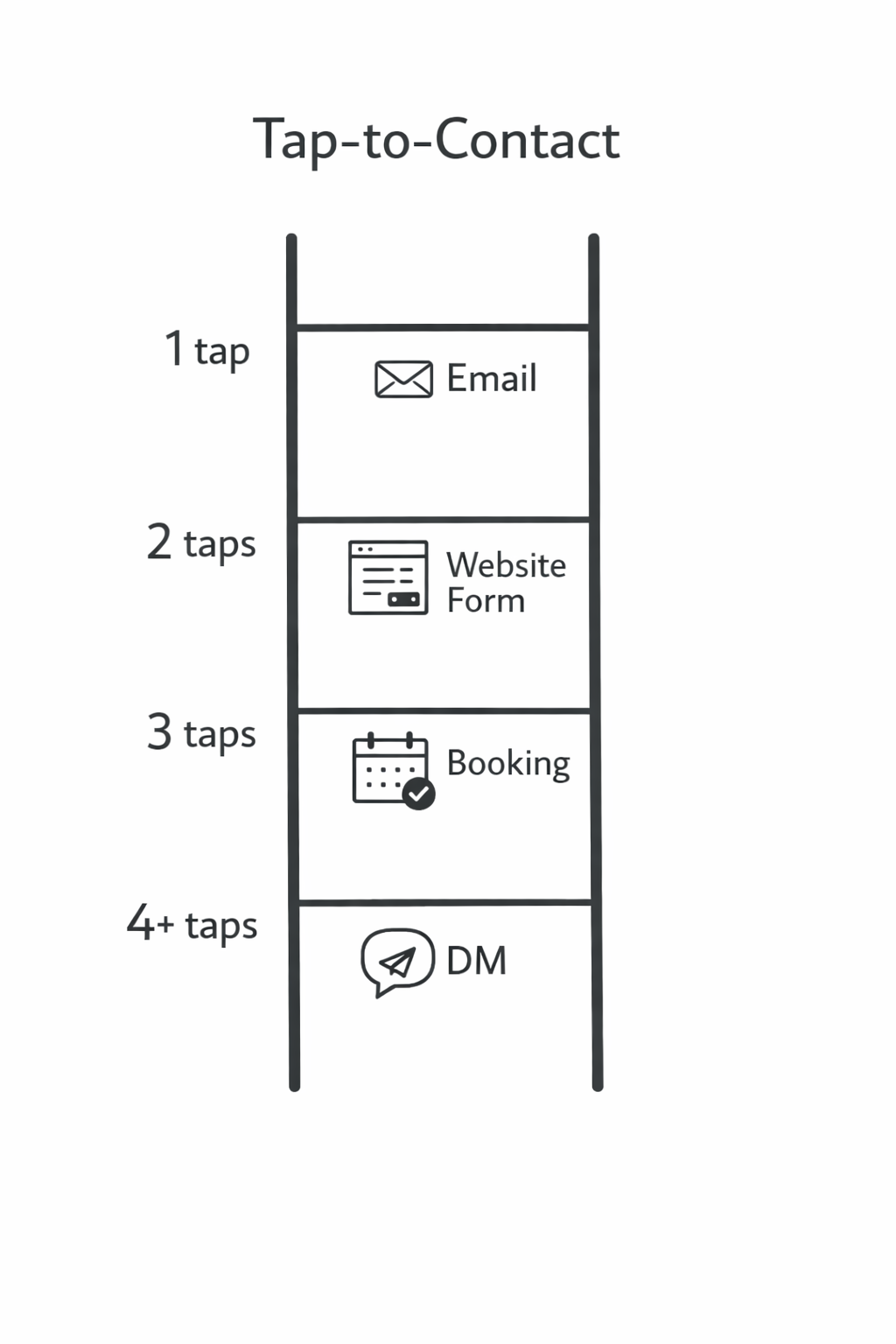
Tap-to-Contact Metric: Measure the number of taps required to send a message that reaches somewhere intentional (inbox, form, booking).
Snapshot 2 (5-10s): "Wanting outreach?"
Look for intent language:
- "inquiries," "booking," "collabs," "partnerships," "PR," "rates," "media kit," "wholesale," "apply," "brand deals."
Decision:
- Clear CTA = high intent
- Vague vibe = unknown intent
Snapshot 3 (10-15s): "Who holds the keys?"
Look for gatekeeper signals:
- "Managed by" "For bookings contact" "Agency: " "PR/Management: "
- Multiple emails (personal and manager)
Decision:
- If there's a manager/agency email, then your outreach needs to be short - get-ready and deliverable-specific.
- If it's solo, you can be more conversational.
Snapshot 4 (15-20s): The 7-Word Offer Clearness Test
Read the bio once and try to condense it into 7 words:
"They help [who] do [what] using [how]."
If you can't do it, it is true that one of these:
- Its offer is not clear (lower contact readiness)
- You're not the right audience (= poor fit)
- The profile is social identity, not business
Snapshot 5 (20-25s): "Are they operationally alive?"
Look for operational proof:
- Recent post cadence (not necessarily daily - just alive)
- Highlights are updated (not from years ago)
- Pinned posts to be used as onboarding (services, collabs, FAQs, proof)
Snapshot 6 (25-30s): "Is this safe & real?"
Look for risk/noise:
- Suspicious redirects, broken pages, "weird link trees"
- Engagement appearing automated (generic comments, odd ratios)
- Extreme bait content with no business surface
- No identifiable niche, no location (for local), no offer
If risk is high, don't contact - no matter how tempting the numbers are.
The CRI Score: Contact-Readiness Index (0-100)
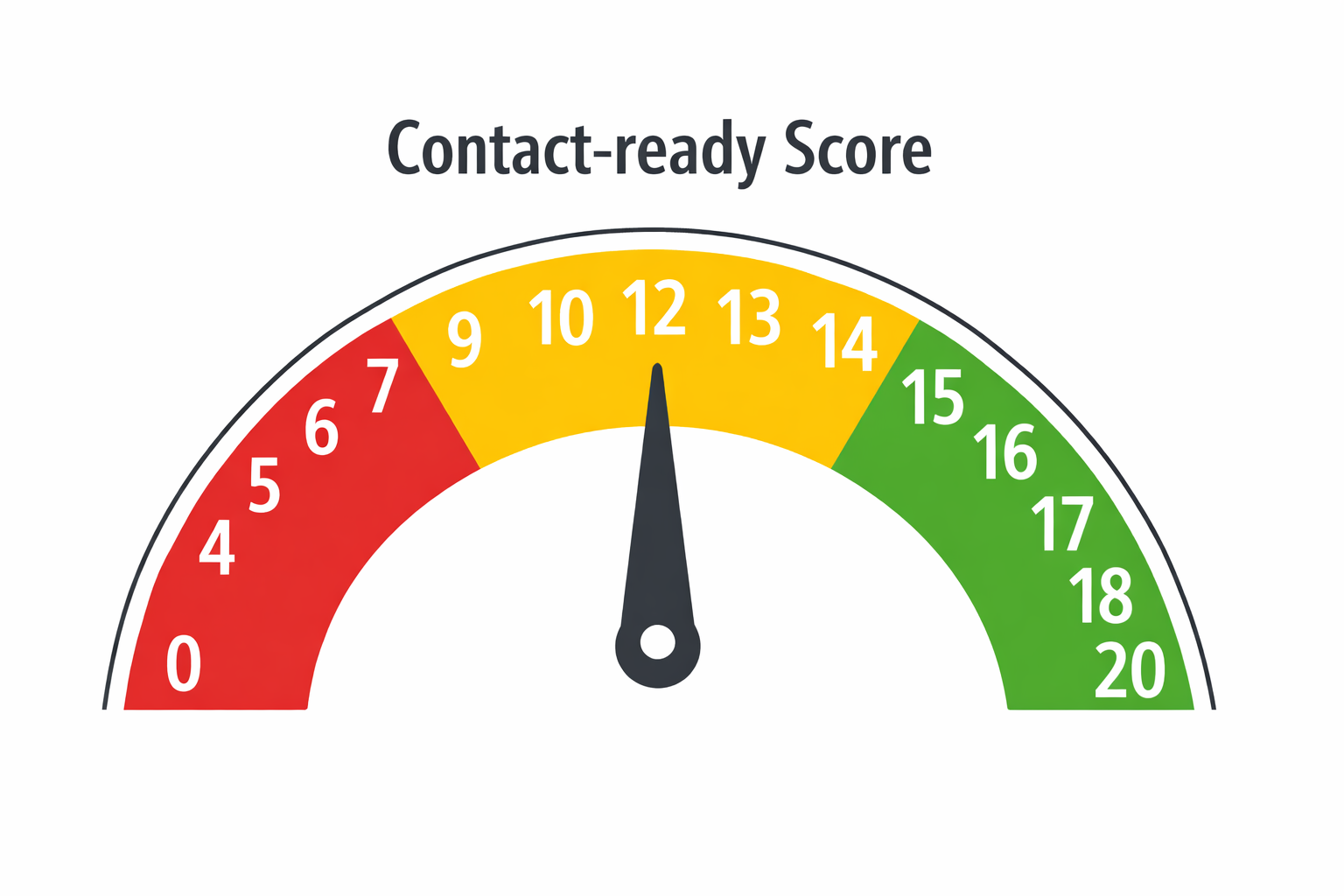
To make this repeatable (as well as team-friendly), translate the snapshots into one score.
You'll score four pillars. Each is 0-25.
Pillar 1: Contact Surface Area (CSA) — 0 to 25
How many clean ways are there of getting there, and how few taps does it take?
Score guide:
| Score | Description |
|---|---|
| 0-5 | no definite contact path; just "DM me" but hard to message |
| 6-12 | one contact path but friction (multi-step) |
| 13-18 | (clear email OR clear contact button) OR clear website contact |
| 19-25 | several multiple channels (email + booking/form + website), all deliberate |
Bonus rule: If the only link is a generic aggregator for which there is no obvious "contact" route, limit CSA to 12 until proven.
Pillar 2: Intent Density (ID) — 0 to 25
How obvious is it that they want inquiries?
Score guide:
| Score | Description |
|---|---|
| 0-5 | no CTA, all personal, or aesthetic |
| 6-12 | implied intent (creator vibes, some brand tags, no clear CTA) |
| 13-18 | explicit "inquiries"/ "booking"/ "collabs" |
| 19-25 | explicit + organized (media kit/rates/booking, pin your service 'advert' and 'work with me' highlight) |
Pillar 3: Operational Proof (OP) — 0 to 25
Do they look like someone who has a workflow to receive/handle requests?
Score guide:
| Score | Description |
|---|---|
| 0-5 | inactive, erratic, empty outlining |
| 6-12 | active but no structure: hard to understand offer |
| 13-18 | clear pinned posts/highlights which onboard new visitors |
| 19-25 | strong proof stack (case studies, testimonials, consistent CTA, updated highlights, funnel is clear) |
Pillar 4: Risk & Noise (RN) — 0 to 25
This is a reverse pillar: the higher the risk, the lower the score.
Score guide:
| Score | Description |
|---|---|
| 19-25 | low risk, clean links, authentic engagement, clear niche |
| 13-18 | some noise but acceptable |
| 6-12 | multiple red flags |
| 0-5 | do not contact |
CRI formula
CRI = CSA + ID + OP + RN
Decision thresholds
| CRI Score | Action |
|---|---|
| CRI >= 70 | Contact now (best channel is usually obvious) |
| CRI 40-69 | "Deep Mode" Extra 60 seconds before deciding |
| CRI < 40 | Skip or watchlist |
One-screen CRI worksheet (copy/paste)
Profile: @___
Niche/ICP:
Tap-to-contact: 1 / 2 / 3 / 4+
CSA: __ / 25
ID: __ / 25
OP: __ / 25
RN: __ / 25
CRI: __ / 100
Next best action: Email / Form / Booking / DM / Skip
Angle: proof of work/partnership/offer/collab/local
The Signal Library ("cards" to be used)
Most of the articles list generic signals. This library is different: each signal contains what it means, how it fails, and so what to do next.
Deck A: Hard signals (hard to fake, high value)
A1) Bio Email is showing directly in bio
- Means: shortest path to contact out
- Failure mode: inbox unmonitored / out-of-date
- Next action: email with short and specific ask + Backup DM with reference to the email (light touch)
A2) "Contact" / "Email" / "Book" action button
- Means: profile is set to professional contact
- Failure mode: routes to generic mailbox; slow replies
- Next action: select the button path first; it is as per their intended workflow
A3) Booking link (Calendly or appointment/service booking)
- Means: they want structured demand, not chats
- Failure mode: booking, it's for clients, not partnership
- Next action (if you're not a client): if you're not a booking request - email/form with "not a booking request"
A4) Media kit / rate card link
- Means: creator monetization is up and running
- Failure mode: obsolete rates / not taking deals currently
- Next action: pitch with respect to deliverables, budget range, and timeline
Deck B: Soft signals (easy to fake, but still useful)
B1) "DM for collabs" with no other path of contact
- Means: intention is there; operations are immature
- Failure mode: DM inbox spamming
- In fact, next action: all that's needed is to DM with a single question: "What's your best email for partnerships?"
B2) "Founder | Builder | Creative" bios with no offer clarity
- Means: Identity First profile
- Failure mode: Don't know what are you buying/asking for
- Next step: contact only if you can put your pitch in an existing project
Deck C: Behavioral signals (most all people ignore these)
C1) Comment replies in the last posts
- Means: their job is to monitor interactions
- Failure mode: Responses are generic/automated
- Next thing to do: to refer to an actual response they made (light personalization)
C2) Highlights that are updated recently
- Means: profile is maintained in the form of a funnel
- Failure mode: presence of highlights but those are old; operations may be old
- Next action: handle as "maybe" unless there's fresh proof somewhere else
Deck D: Gatekeeper signals (change your strategy)
D1) "Managed by..." / agency email present
- Means: you're selling a process and not a person
- Failure mode: your message is too casual or is too long
- Next action: send short and ready email - who you are, what you want, deliverables, budget / timing, next step.
D2) Multiple ways of contacting (personal + manager)
- Means: they've had enough amount of volume to segment contact
- Failure mode: choosing wrong route - reduces reply probability
- Next action: Brand deals - Manager, Niche collaboration - creator directly
Deck E: Red flags (skip fast)
E1) Link chain feels "off" (Multiple redirects, broken pages, shady domains)
- Next thing to do: skip, don't click on more
E2) Engagement is manufactured looking (generic comments, weird ratios)
- Next act: only take action if you have a strong non-social proof of legitimacy
E3) No niche + No location + No offer
- Next action: skip; you can not build a relevant angle in 30 seconds
The 9-Question Decision Tree (YES/NO - next action)
Run this like a script. It's designed in such a way that you don't "think" - you route.
Q1: Is there a direct contact path (email/button/booking)?
- YES → go to Q4
- NO → Q2
Q2: Is there a real website link?
- YES → Q3
- NO → only DM if intent is explicit; otherwise skip
Q3: Is there a clear route of contact on the website (within 2 clicks)?
- YES → use it (form/email) → Q4
- NO → treat as high friction → DM to ask for best contact channel
Q4: Is intent explicit (inquiries/booking/collabs)?
- YES → Q5
- NO → Q6
Q5: Is there a gatekeeper (manager/agency)?
- YES → e-mail manager with short-ready pitch
- NO → e-mail / booking / form based on their funnel
Q6: Can you pass the 7 word offer clarity test?
- YES → Q7
- NO → Deep Mode (extra 60 seconds) or skip
Q7: Are they operationally alive (some recent activity)?
- YES → Q8
- NO → watchlist / skip
Q8: Any major red flags?
- YES → skip
- NO → Q9
Q9: Select that channel by friction which is best:
- 1 tap → email/button
- 2-3 taps → form/booking
- 4+ taps → DM for best contact
"Micro-Brief in 12 Seconds" (the quickest safe personalization)
Your goal is not to impress. Your goal is to give them a reason for them to reply.
The 3-part micro-brief
- Why you (specific signal)
- Why now (timing cue)
- One no friction ask (Yes/No question or 2 choice question)
Examples of "Why you" signals you can mention in no time
- "Saw your pinned post about [topic]"
- "Saw your 'Work with me' highlight in [niche]"
- "Your booking link mentions [service]"
- "You recently posted about [topic]"
Examples of "Why now" cues
- new launch / restock
- brand partnership post that was just posted recently
- "There are open slots" / "accepting clients"
- seasonality (events, holidays, travelling)
Your low friction ask formats
- Two choices: "Is your preferred channel email or quick form?"
- One confirmation: "Are you taking partnerships this month?"
- One routing question: "Since you are handling collab inquiries, whose email is used - yours or manager's?"
Templates (Email + DM) Copy/paste
Template 1: Email (creator of a small business/solo)
Subject ideas:
- Quick question [their niche/offer]
- Collaboration inquiry (1 minute)
- [Brand/Company] x [Their handle]?
Body:
Hi [Name/Handle] -- I saw you through your [pinned post/highlight] on [specific thing].

I'm getting in touch because we're looking for [type of partner] to help with [one clear outcome] in [timeframe].

Would you prefer:
(a) an email thread to exchange details (that will usually be fast), or
(b) a short brief (1 page) + next steps?

If you are open, I can send you a 3 bullet brief with deliverables + budget range.

Thanks,
[Your name]
[Company] | [1-line credibility]
[Optional: website]
Template 2: Manager/Agency e-mail (ready to be briefed)
Subject: Partnership inquiry — [Deliverable] for [Month]
Body:
Hi [Manager Name/Team],

I'm [Name] from [Company]. We'd like to collaborate with [Creator/Brand] for:

- Deliverable(s): [e.g. 2 Reels + 3 Stories]
- Goal: [e.g. Pay for product awareness UGC]
- Timing: [dates]
- Budget range: [$X-$Y]
- Brand fit note: [1 sentence referencing signal]

Is this something that your team is open to? If yes, I have something I can share here today - a one-page brief and proposed timeline.

Best,
[Name]
[Role] | [Company]
[Contact]
Template 3: DM (when there is a high friction)
Hey! Quick question -- which is the best email (or form) to use when enquiring about partnerships?

I'm contacting you because I saw your [specific post/highlight] and believe we're a good match for [one definite outcome].
Deep Mode (add 60 seconds for CRI of 40-69)
If a profile is "maybe," don't guess. Upgrade your confidence in a fast time.
Deep Mode Step 1 (20s): Website quick check
- Is there a Contact page?
- Is the offer clear?
- Is there any proof (client(s), testimonial(s), press, portfolio)?
Deep Mode Step 2 (20s): Triangulate intent from 3 posts
Pick 3 posts quickly:
- one that sells
- one that proves
- one that connects/community
If you can't find even one "sell" or "prove," then readiness to sell is usually very low.
Deep Mode Step 3 (20s): Select channel that is matching their funnel
- Booking link present → booking/form is preferred
- Manager email present → manager email preferred
- Only DM + explicit intent → DM to ask for best channel
- No channel + no intent → skip
Calibration (how to make this into an E-E-A-T process instead of a one off)
If you are serious about outreach, then the best "authority" is a system that you can audit.
Create a "Golden Set" of 30 profiles
- Historically good profiles that might have replied well: 10
- 10 hard-but-real profiles (B)
- 10 low-quality/noise profiles (C)
Score them independently
If you work in a team, Have 2-3 people score the same 30 profiles using CRI.
Fix what the disagreement is due to
If there are huge variations in the scores, your signals are vague.
Translating vague rules to explicit rules:
- "Operational proof" becomes: "has updated highlights + pinned onboarding post + clear CTA"
Measure outcome According to CRI bucket
Track reply rate / booked calls / positive response for:
- CRI >= 70
- CRI 40-69
- CRI < 40
Then adjust weighting:
- If CRI >= 70 still underperforms, then your fit criteria (ICP) may be wrong - not the scoring.
Three synthetic walkthroughs (realistic, but not based on real accounts)
Walkthrough 1: UGC creator with a gate-keeper (CRI = 82)
Snapshot evidence:
- CSA: email + media kit + email manager (high)
- ID: "brand inquiries" + rates link (high)
- OP: pinned portfolio + testimonials highlight (high)
- RN: clean link - consistent niche (high)
Best action:
- Email Manager - brief-ready pitch (deliverables + timing + budget)
Message angle:
- "We like to have UGC that we could repurpose for paid ads. Your pinned portfolio reflects exactly the style we are looking for."
Walkthrough 2: Local service business Booking funnel (CRI = 74)
Snapshot evidence:
- Booking button + hours + directions
- Highlights: pricing FAQ + before/after
- Website contact is clean
Best action:
- Use booking/form if you are a customer-like inquiry
- Use e-mail if you're proposing a partnership (be explicit: "not an appointment request")
Message angle:
- "We'd like to be able to feature your service in a guide in a local market and send you customers. Who handles partnerships?"
Walkthrough 3: Aesthetic page, huge followers, low intent (CRI = 28)
Snapshot evidence:
- No contact path, No CTA, No offer clarity
- Link is being vague, engagement appears to be noisy
- Content is entertainment-centric
Best action:
- Skip (or watchlist, if you see intended changes in the future)
Ready to find contact-ready Instagram profiles at scale? Try Scravio free with 25 credits - no credit card required.
Start Free with 25 Credits